
Modular kitchen configurator: review the unit mix and blind corner as one layout
A modular kitchen conversation works best when customers understand the cabinets that create the run. A visual width alone does not say whether the kitchen contains the required storage, appliances or usable corner arrangement.
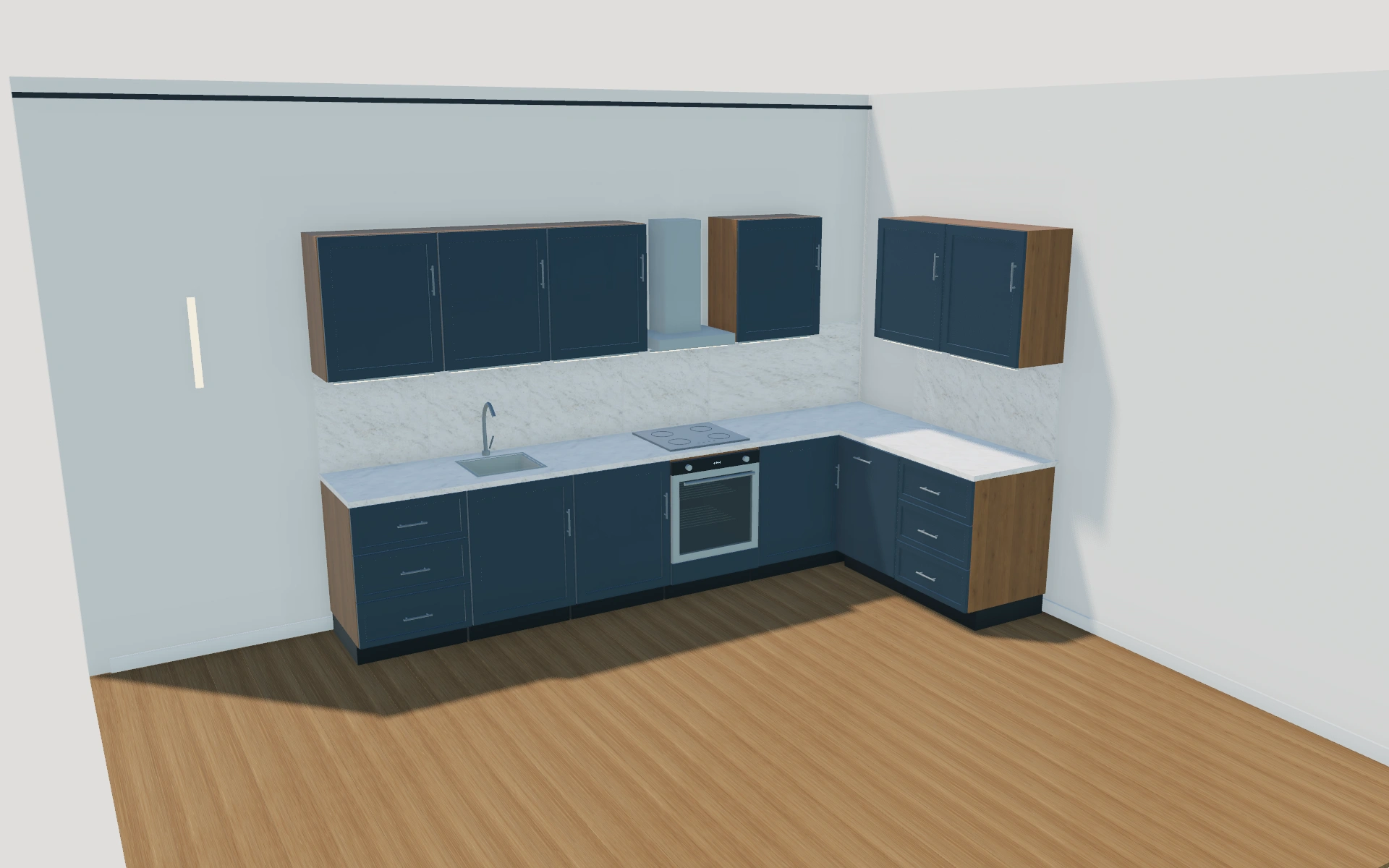
Review the unit mix and blind corner as one layout
Compare the straight and L-shaped layouts with the unit mix visible. Identify the sink cabinet, drawer units, integrated appliance positions and tall storage before discussing finishes. In an L layout, inspect how the blind corner changes the relationship between the two runs.
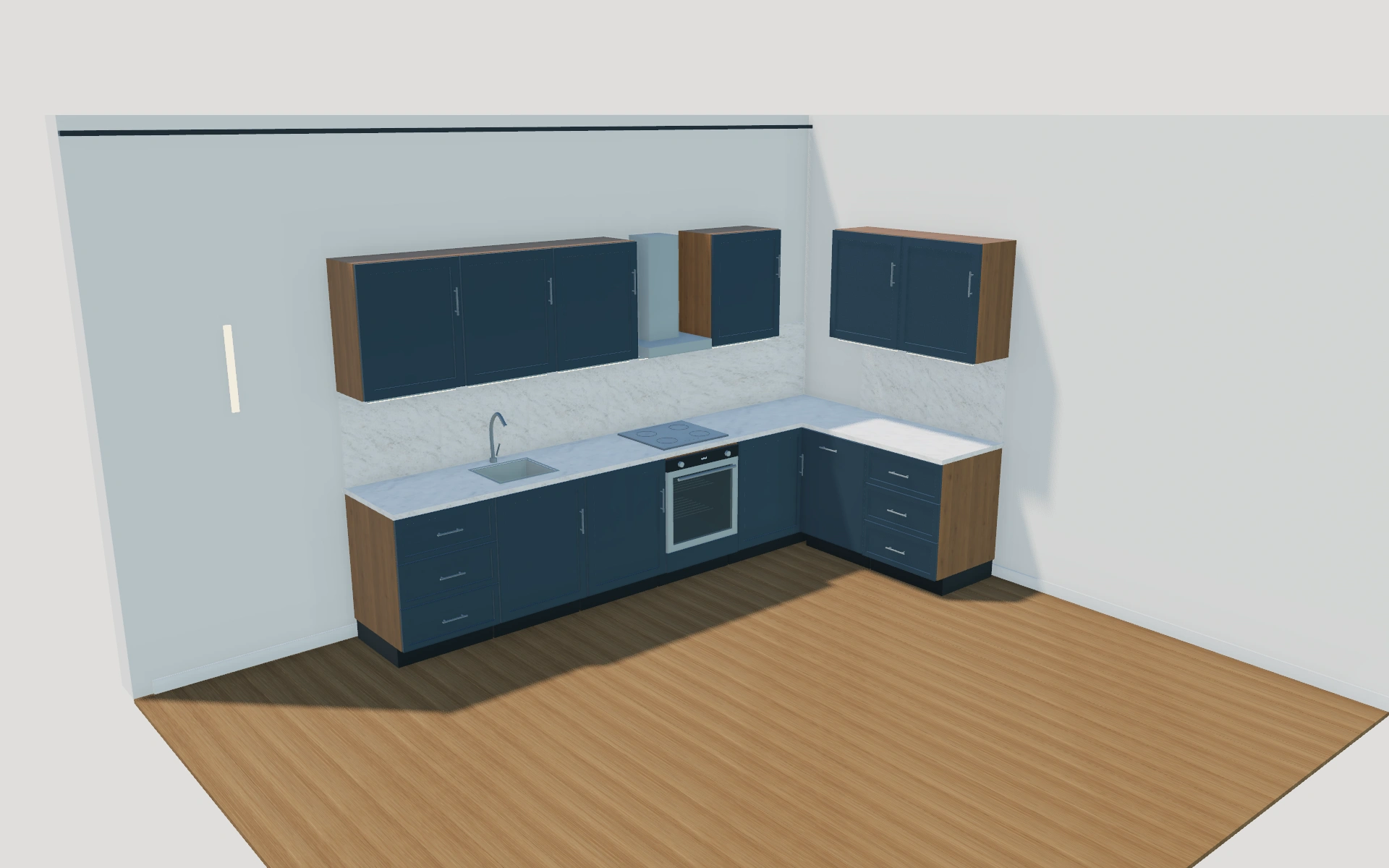
Straight run or L-shaped arrangement with a blind corner?
The L layout introduces a corner relationship that a straight run does not need to solve. Compare cabinet and appliance positions before the worktop appearance. A blind-corner unit should be discussed as a specific part of the arrangement rather than assumed to provide the same access as an ordinary cupboard.
Resolve the unit sequence before the worktop appearance
The straight and L-shaped layouts should be compared through their cabinet positions. A blind-corner cabinet is a specific part of the L arrangement, not an ordinary cupboard rotated out of sight. Check the sink, cooking and dishwasher positions with storage and access visible.
Use front design, handles and worktop selections to refine that agreed sequence. Record appliance modules and any splashback distinctly in the proposal. The useful comparison explains what changes in the kitchen’s organisation, rather than offering two material palettes over an unresolved cabinet plan.
Modular kitchens options to compare
Review the selected model before refining individual details. Available choices can change with the model and earlier selections; the groups below describe the current starting configuration.
Layout
- Kitchen layout
- Straight run
- L-shaped · includes blind-corner cabinet
- Standard cabinet units
- 3–8 in the current model
- Units on the return
- 1–4 in the current model
Dimensions
- Standard unit width
- 600–900 mm in the current model
- Finished worktop height
- 850–1000 mm in the current model
- Base carcass depth
- 550–650 mm in the current model
- Plinth height
- 80–180 mm in the current model
Base units
- Cabinet function
- Hinged base cupboard
- Three-drawer base
- Sink base with bowl and tap
- Built-in oven and cooktop
- Integrated dishwasher
- Open base shelves
- Tall pantry
- Integrated tall refrigerator
Finishes
- Cabinet front design
- Flat slab
- Shaker frame
- Front finish
- Soft white
- Cashmere
- Deep blue
- Anthracite
- Natural oak
- Walnut
- Carcass and shelf finish
- Soft white
- Natural oak
- Walnut
Worktops
- Worktop material
- Warm-white quartzite
- Charcoal quartzite
- Natural oak
- Worktop thickness
- 20–40 mm in the current model
- Splashback
- No splashback
- Matching worktop slab
- White tiled splashback
Wall units
- Wall cabinets and cooker hood
- Include or omit
- Wall cabinet height
- 600–900 mm in the current model
- Worktop to wall cabinet gap
- 450–700 mm in the current model
- Wall cabinet fronts
- Matching solid fronts
- Framed clear glazing
- Open shelves
Appliances
- Cooktop above ovens
- Induction glass cooktop
- Gas burners and trivets
- No cooktop
Hardware
- Handles and tap finish
- Brushed stainless
- Black
- Bronze
- Cabinet handles
- Slim bar pulls
- Round knobs
- Handleless push to open
Lighting
- Under-cabinet lighting
- No lighting
- Warm 2700 K
- Neutral 4000 K
Dimension ranges describe the current model controls. Confirm the selected product, final measurements and supplied specification with the manufacturer.
Worked example: a customer brief for modular kitchens
For a small kitchen, compare a straight storage-and-appliance sequence with an L alternative. Inspect the cabinet fronts and worktop openings. Record the selected units in the proposal, with splashback, appliance supply and installation work clearly identifiable.
From modular kitchens choices to a clear proposal
Write the cabinet and appliance arrangement into the proposal rather than quoting from a general kitchen picture. Keep worktop, splashback and service questions explicit. The configuration is a shared reference for the sales discussion; measured room conditions and the supplied appliance specifications still determine the final installation review.
Questions for your modular kitchens review
- Unit mix
- Blind-corner arrangement
- Appliance positions
- Worktop and service items
Modular kitchens configurator FAQs
Is a worktop colour enough to specify the kitchen?
No. Keep the unit sequence, appliance positions, worktop details and room measurements together. The finish is one part of the kitchen specification.
What should a kitchen comparison hold constant?
Keep the room brief, appliance requirements and intended workflow consistent when comparing layouts. Record the unit sequence and corner solution before materials. Separate worktop details, appliances and installation items so the customer can see what changes between alternatives.
Put the choices
in the same view.
Explore the modular kitchens configurator, review the available product options and discuss your own range with our team.