
BRANDED PROPOSALS & CUSTOMER QUOTES

Your product choices.
Your commercial offer.

Save the configuration with the customer, add your own proposal items and prices, then generate a PDF with your company branding.

Proposal builder
YOUR COMPANY. YOUR PRICES.

From configuration
to customer proposal.

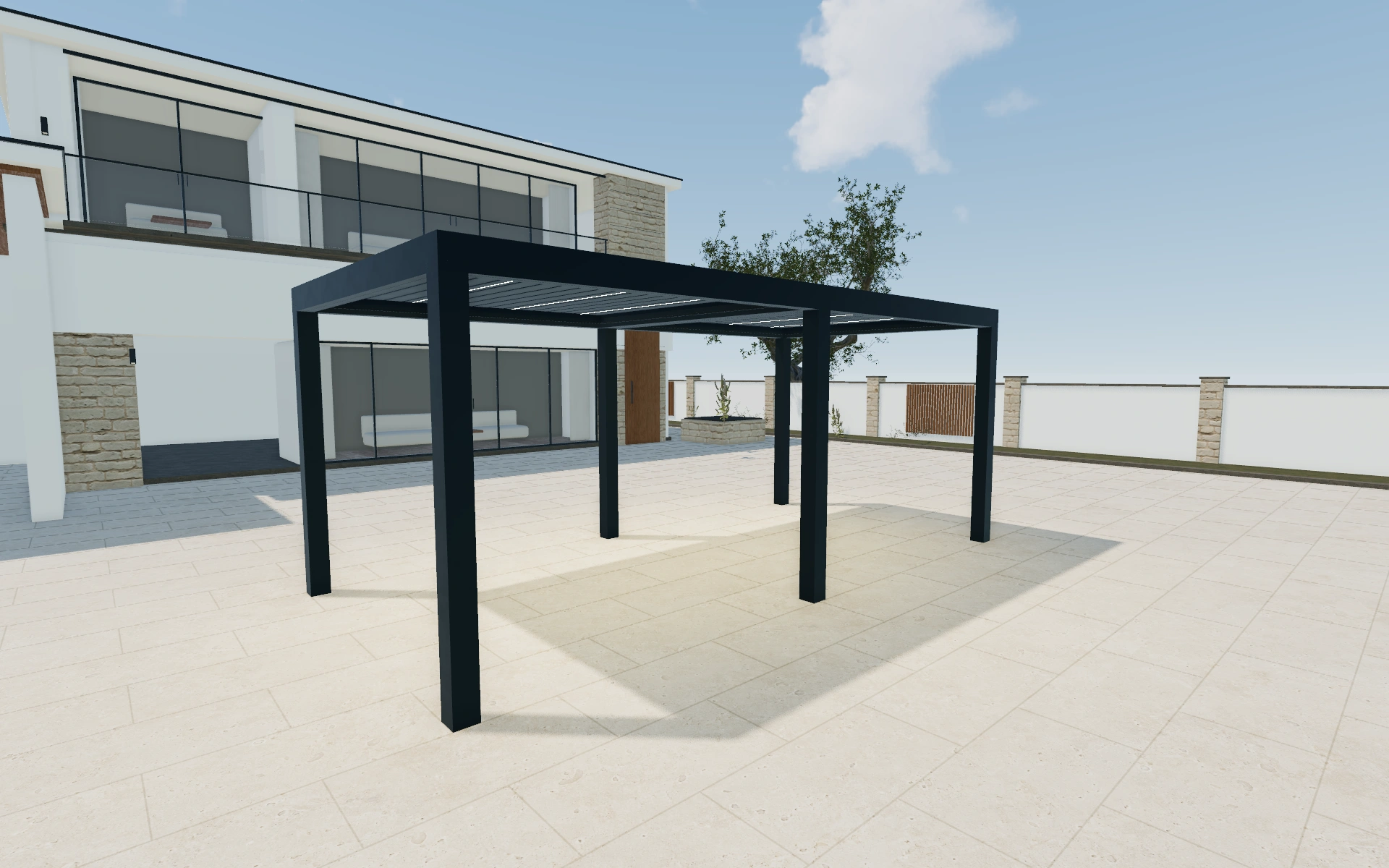
Louvered-roof pergola configuration for a customer proposal
Saved customer projectSelected product, dimensions and finishes
Configured product
Add your price
Delivery
Add your price
Installation
Add your price
Proposal total
Your item totals
Your logo · your customer details · your line itemsSee the proposal workflow
01 / KEEP THE SCOPE CLEAR

Describe the package.
Price it your way.

Start with the customer’s selected product and configuration. Add supply, accessories, delivery and installation as distinct proposal items, with the quantities and prices your business needs. Review the complete commercial scope before generating the document.

PROPOSAL PREPARATION

A readable customer offer

Customer
Linked contact and project
Product
Saved configuration
Items
Your quantities and prices
Document
Your company logo and details
Prepared by your team
02 / FROM ACCEPTED OFFER TO ORDER

Keep the agreement.
Follow the work through.

When the proposal is accepted, continue the project into an order. Keep order notes and progress together, create more than one invoice where needed and record payments received outside the platform. The customer and original configuration remain part of the same project history.

Explore the customer workspace
Proposal builder
YOUR COMPANY. YOUR PRICES.

From configuration
to customer proposal.

Louvered-roof pergola configuration for a customer proposal
Saved customer projectSelected product, dimensions and finishes
Configured product
Add your price
Delivery
Add your price
Installation
Add your price
Proposal total
Your item totals
Your logo · your customer details · your line itemsSee the proposal workflow
A PROPOSAL YOUR CUSTOMER CAN FOLLOW

The product is visible.
The scope is readable.

Configuration and commercial review have complementary roles in a product sale.

01

Retain the selected design

Keep product dimensions, finishes and chosen options with the customer project. Your team can return to the configuration when discussing a change.

02

Identify supplied work

Describe what your price includes. Delivery, installation, site preparation and any customer-specific additions can be separate items instead of an unexplained total.

03

Use your document identity

Prepare the proposal with your company logo and customer details. Continue accepted work into orders and invoices within the same company workspace.

YOUR CURRENT PROCESS

Where does your
quoting time go?

Estimate your team’s current monthly workload. Use it to decide which tasks to review first.

Current monthly quoting effort60 hours
This calculates workload, not promised savings. Your process and project scope determine what can be automated.
A FEW GOOD QUESTIONS

Let’s clear
things up.

Can this work with our own products?+

That is the starting point. We’ll review your dimensions, materials, accessories, and product rules to define a configurator experience for your range.

How does pricing work?+

Choose a monthly or yearly subscription on our pricing page. Each plan lists its included users, selected configurators and features. Your business sets the items and prices on customer proposals and invoices.

Does the experience work on mobile?+

The website and workspace adapt to phones, tablets and desktops. Interactive 3D demos require a compatible browser and graphics support.

What do we need to get started?+

Your product sheets, dimensions, finish options, pricing structure, and any existing images or drawings are a useful start. We can then map the customer journey together.

YOUR PRODUCTS. A CONNECTED SALES FLOW.

Make your next sale
a clearer conversation.

Explore product configuration, customer projects, proposals and orders in one workspace.

Request a demo
SALES VISUALIZER / GUIDED WALKTHROUGH

From an idea to a useful brief.

STEP 01 / 05

Choose a product.

Start with a product your customer wants to explore.