
Indoor kitchen configurator: use cabinet-by-cabinet planning to keep the order precise
An indoor kitchen quotation becomes clearer when the visual plan and the cabinet list describe the same arrangement. The configurator should help the customer compare a real module sequence rather than stretch a generic kitchen to fit a room.
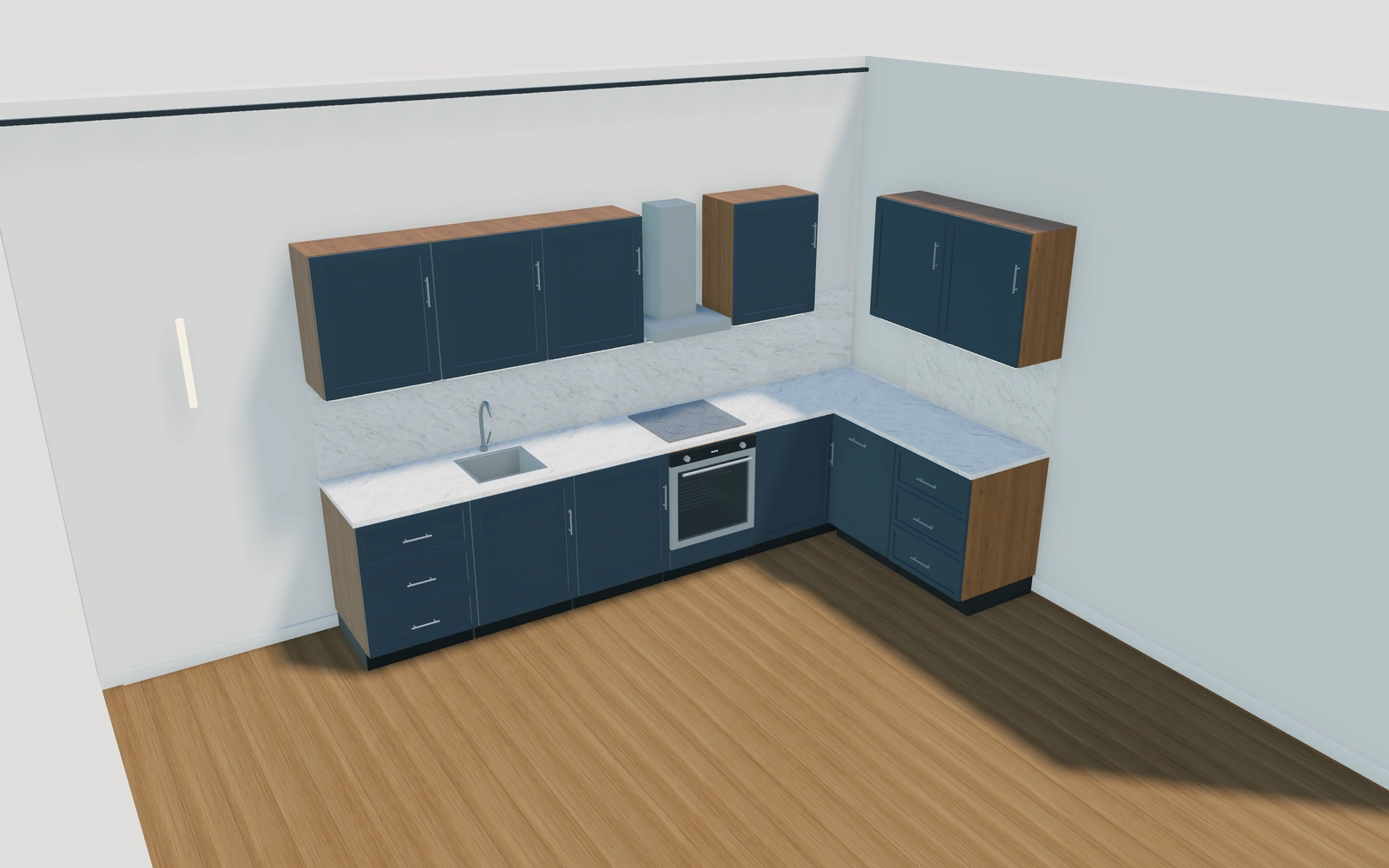
Use cabinet-by-cabinet planning to keep the order precise
Start with the required storage and appliances, adding the cabinets individually. Reorder them beside one another and compare straight, L-shaped or U-shaped connections. Review opening drawers and doors against the intended room circulation before refining finishes and countertop preferences.
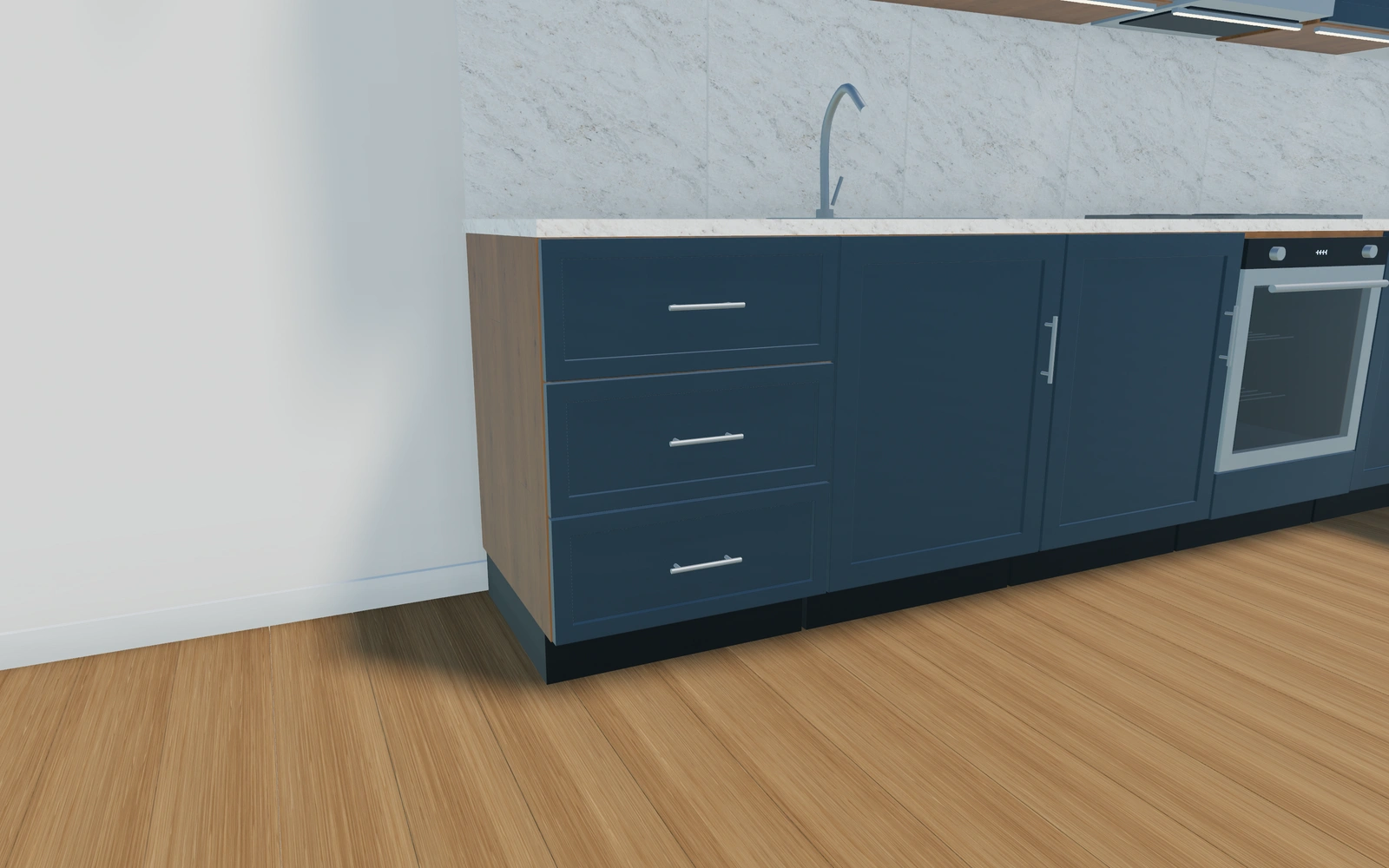
A straight cabinet sequence or an L-shaped return?
Compare the storage and appliance brief before adding a corner. Drawers, sink bases and tall units should remain identifiable in the sequence. Front design, finish and worktop choices are separate decisions; a more attractive material scheme should not disguise missing storage or an unresolved appliance position.
Keep module sizes attached to the cabinet sequence
Base cupboards, drawers, sink units and tall modules should be selected and ordered as individual cabinets. Review corners, any island and the approach to appliances before comparing finishes. The final run length follows the chosen modules; it should not replace the cabinet list.
Flat slab and Shaker fronts can be compared over the same layout, with carcass, worktop and hardware recorded separately. Keep the selected wall cabinets and splashback identifiable. The proposal should retain the cabinet schedule and actual room requirements rather than ask the customer to approve a colour palette over an unspecified kitchen.
Indoor kitchen options to compare
Review the selected model before refining individual details. Available choices can change with the model and earlier selections; the groups below describe the current starting configuration.
Layout
- Kitchen layout
- Straight run
- Standard cabinet units
- 1–12 in the current model
Dimensions
- Standard unit width
- 600–900 mm in the current model
- Finished worktop height
- 850–1000 mm in the current model
- Base carcass depth
- 550–650 mm in the current model
- Plinth height
- 80–180 mm in the current model
Base units
- Cabinet function
- Hinged base cupboard
- Three-drawer base
- Sink base with bowl and tap
- Built-in oven and cooktop
- Integrated dishwasher
- Open base shelves
- Tall pantry
- Integrated tall refrigerator
Finishes
- Cabinet front design
- Flat slab
- Shaker frame
- Front finish
- Soft white
- Cashmere
- Deep blue
- Anthracite
- Natural oak
- Walnut
- Carcass and shelf finish
- Soft white
- Natural oak
- Walnut
Worktops
- Worktop material
- Warm-white quartzite
- Charcoal quartzite
- Natural oak
- Worktop thickness
- 20–40 mm in the current model
- Splashback
- No splashback
- Matching worktop slab
- White tiled splashback
Wall units
- Wall cabinets and cooker hood
- Include or omit
Hardware
- Handles and tap finish
- Brushed stainless
- Black
- Bronze
- Cabinet handles
- Slim bar pulls
- Round knobs
- Handleless push to open
Island
- Add kitchen island
- Include or omit
Cabinets
- Individual cabinet module
- Base cupboard · 300 mm
- Base cupboard · 450 mm
- Base cupboard · 600 mm
- Base cupboard · 800 mm
- Base cupboard · 900 mm
- Drawer cabinet · 450 mm
- Drawer cabinet · 600 mm
- Drawer cabinet · 800 mm
- Drawer cabinet · 900 mm
- Sink cabinet · 600 mm
- Sink cabinet · 800 mm
- Sink cabinet · 900 mm
Dimension ranges describe the current model controls. Confirm the selected product, final measurements and supplied specification with the manufacturer.
Worked example: a customer brief for indoor kitchen
For a compact apartment, save a straight cabinet arrangement and an L alternative with the same appliance needs. Inspect opening fronts and circulation. The proposal should list the chosen modules, worktop and fittings, with final room measurements, fillers and service connections reviewed against the supplied products.
From indoor kitchen choices to a clear proposal
Carry the exact sequence into the proposal, with appliances and installation items clearly identified. Final room measurements, services, fillers and supplier details need checking against the actual project. A saved cabinet arrangement helps the sales team explain revisions without losing which modules were added, removed or moved.
Questions for your indoor kitchen review
- Cabinet sequence
- Storage and appliances
- Opening-front space
- Final room measurements
Useful views for the indoor kitchen review
Use these inspection views to discuss the arrangement and visible details before approving the specification.
- Worktop and appliances
- Cabinet joinery and storage
- Island and breakfast seating
Indoor kitchen configurator FAQs
Can I move cabinets after choosing finishes?
Yes. Preserve the cabinet sequence and individual choices when reordering, then review the changed corners, appliance positions and proposal items.
What should I save before comparing cabinet-front finishes?
Save the ordered module sequence, selected cabinet sizes and any corner or island arrangement. Review door and drawer access against the room. Then compare fronts and worktops without changing that layout, so the customer’s finish approval remains attached to the same kitchen.
Put the choices
in the same view.
Explore the indoor kitchen configurator, review the available product options and discuss your own range with our team.