
Roof configurator: compare the roof form before adding coverings and equipment
A roof configurator is most useful when the roof shape stays connected to the building’s proportions. Coverings, roof windows and photovoltaic references should build on that arrangement rather than conceal an unresolved geometry discussion.
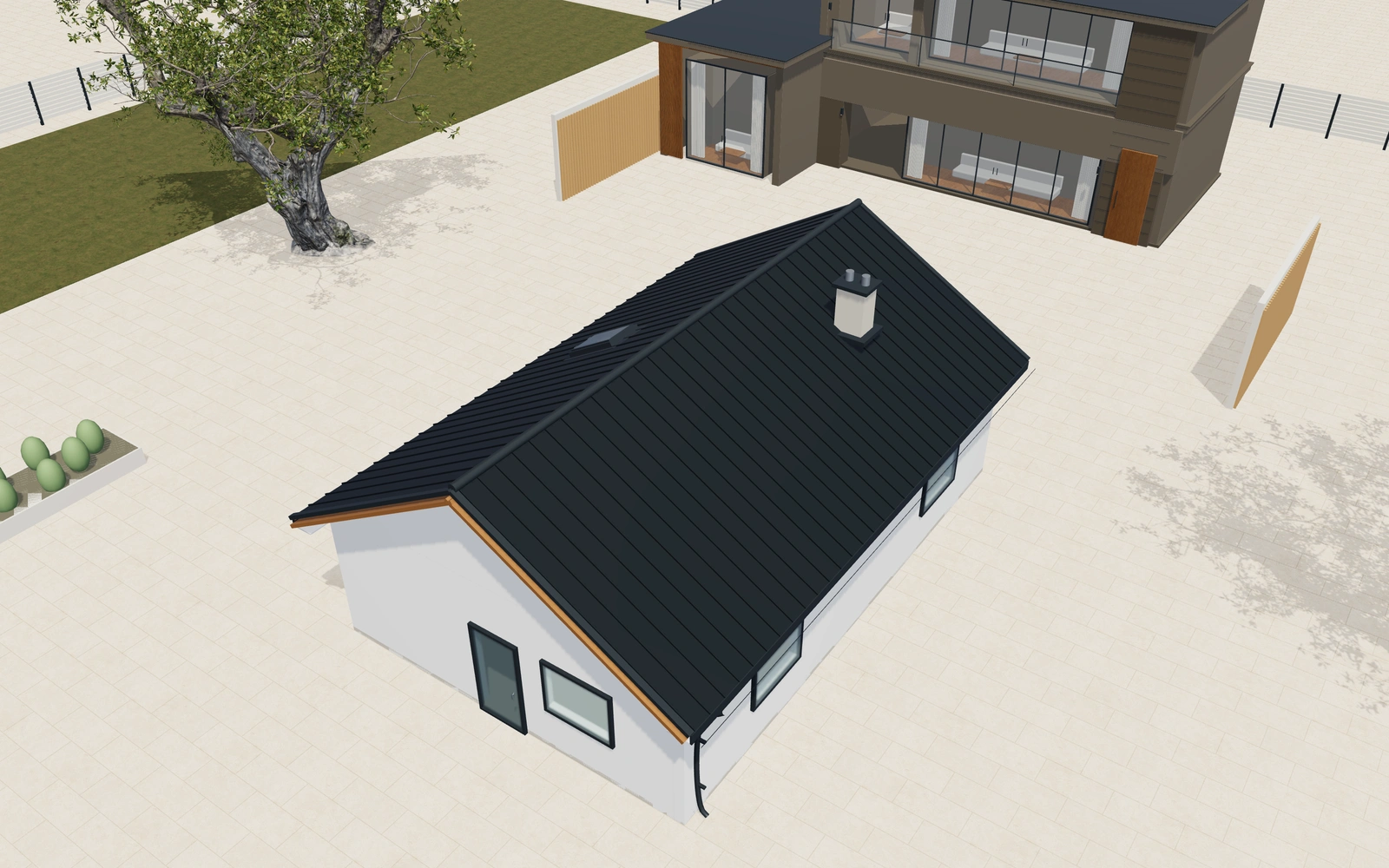
Compare the roof form before adding coverings and equipment
Compare the available roof forms with pitch, eaves and overhangs visible. Inspect the structure and roof-window openings, then return to the finished view to discuss seams, tiles or shingles. Keep drainage details and any module-layout preference in the same project record.
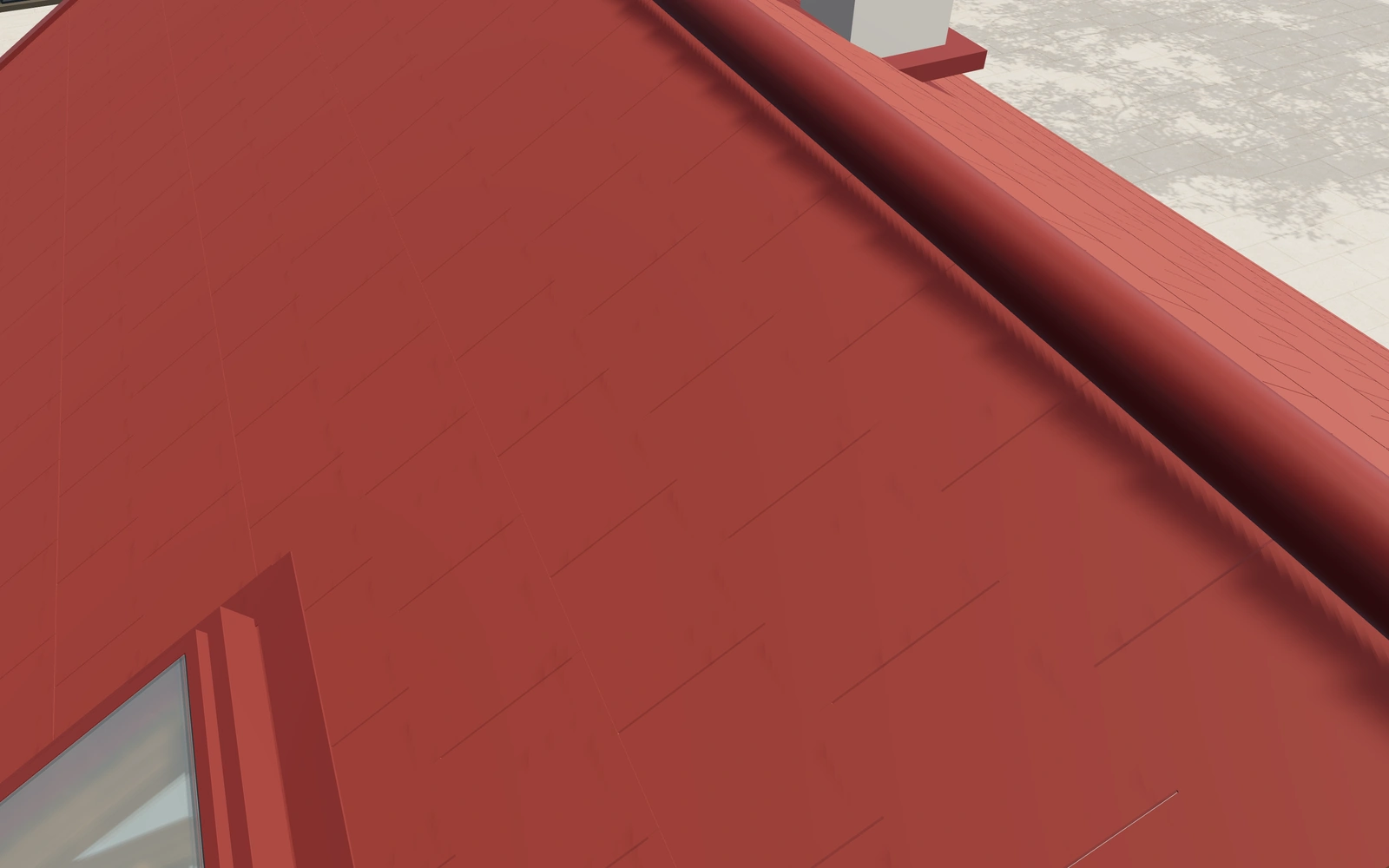
Gable, hipped or single-pitch roof?
Compare the forms with the same building dimensions and review eaves and overhangs before adding a covering. Standing seams, tiles and shingles are separate appearances. A photovoltaic reference should remain identifiable as a layout preference rather than an engineered electrical or structural installation.
Choose geometry before covering and roof equipment
Gable, hipped, single-pitch and flat-parapet forms should be compared on the same building footprint. Keep the intended orientation fixed. Standing-seam metal, tiles and shingles then refine the selected geometry, rather than serve as substitutes for deciding the roof form.
Inspect the framing view separately from the completed covering. Record rooflights, rainwater preferences and any PV references as identifiable items. The proposal should distinguish the chosen visual roof package from actual structure, drainage, fixing design and installation requirements for the building.
Building roof systems options to compare
Review the selected model before refining individual details. Available choices can change with the model and earlier selections; the groups below describe the current starting configuration.
Shape
- Roof form
- Gable roof
- Hipped roof
- Single-pitch roof
- Flat roof and parapet
- Roof pitch
- 15–50 ° in the current model
Dimensions
- Building width
- 7000–16000 mm in the current model
- Building length
- 9000–26000 mm in the current model
- Eaves or low-edge height
- 2600–6000 mm in the current model
Edges
- Eaves and verge overhang
- 200–800 mm in the current model
- Closed soffit panels
- Include or omit
Covering
- Roof covering
- Standing-seam metal
- Profiled roof tiles
- Layered shingles
- Roof finish
- Anthracite
- Clay red
- Warm grey
- Bronze
- Seam or tile course module
- 280–600 mm in the current model
Structure
- Roof structure appearance
- Timber rafters and ties
- Steel framing reference
- Nominal rafter spacing
- 450–1000 mm in the current model
Rainwater
- Rainwater gutters
- Include or omit
- Rainwater finish
- Anthracite
- Warm white
- Brushed steel
- Bronze
- Deep blue
Accessories
- Snow-guard rail references
- Include or omit
Roof windows
- Roof-window count
- 0–4 in the current model
Dimension ranges describe the current model controls. Confirm the selected product, final measurements and supplied specification with the manufacturer.
Worked example: a customer brief for building roof systems
For a building-design conversation, save two roof forms and record opening and drainage preferences. Identify the selected covering and roof-window arrangement on the proposal, with the complete roof build-up, structure and site requirements retained for specialist review.
From building roof systems choices to a clear proposal
Describe the selected roof appearance and arrangement clearly on the proposal. Structural design, roof build-up, weathering and electrical equipment require the relevant specialist documentation. A visual PV layout is separate from an engineered installation and should be identified accordingly in the customer brief.
Questions for your building roof systems review
- Roof form
- Pitch and overhangs
- Openings and drainage
- Specialist construction review
Useful views for the building roof systems review
Use these inspection views to discuss the arrangement and visible details before approving the specification.
- Covering, laps and seam detail
- Eaves, fascia, gutter and outlet
- Roof window, flashing and hinges
- Rafters, ties and bearing detail
Building roof systems configurator FAQs
Can the PV reference establish generation or fixing suitability?
No. Actual module specifications, structural fixings, electrical design and project conditions need qualified assessment.
What should stay constant when comparing roof forms?
Use the same building footprint and record the intended orientation. Compare roof geometry before coverings, rooflights and solar references. Keep the actual roof assembly, drainage, structural design and installation scope identifiable so the proposal does not rely on silhouette alone.
Put the choices
in the same view.
Explore the building roof systems configurator, review the available product options and discuss your own range with our team.