
Steel portal-frame building configurator: use the frame grid to organise the building brief
A steel portal-building configuration should help the customer understand the relationship between bays, clear span and the envelope. The framing is a useful starting point because openings and cladding depend on the arrangement being discussed.
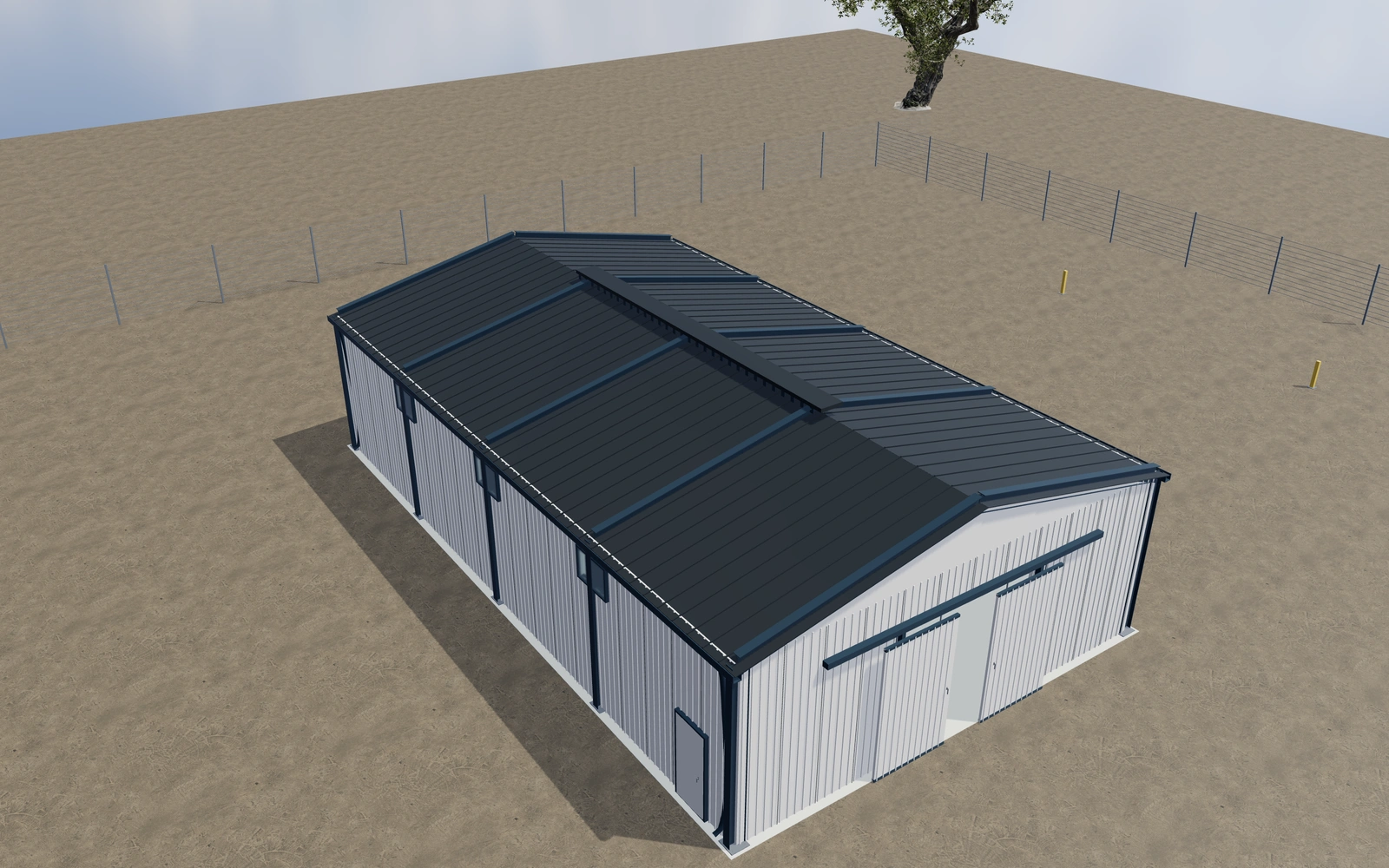
Use the frame grid to organise the building brief
Compare the selected span, bays, heights and roof pitch with the frame visible. Review large and personnel-door positions, then inspect the cladding, windows and drainage appearance. Keep the customer’s intended use and handling routes with the saved configuration.
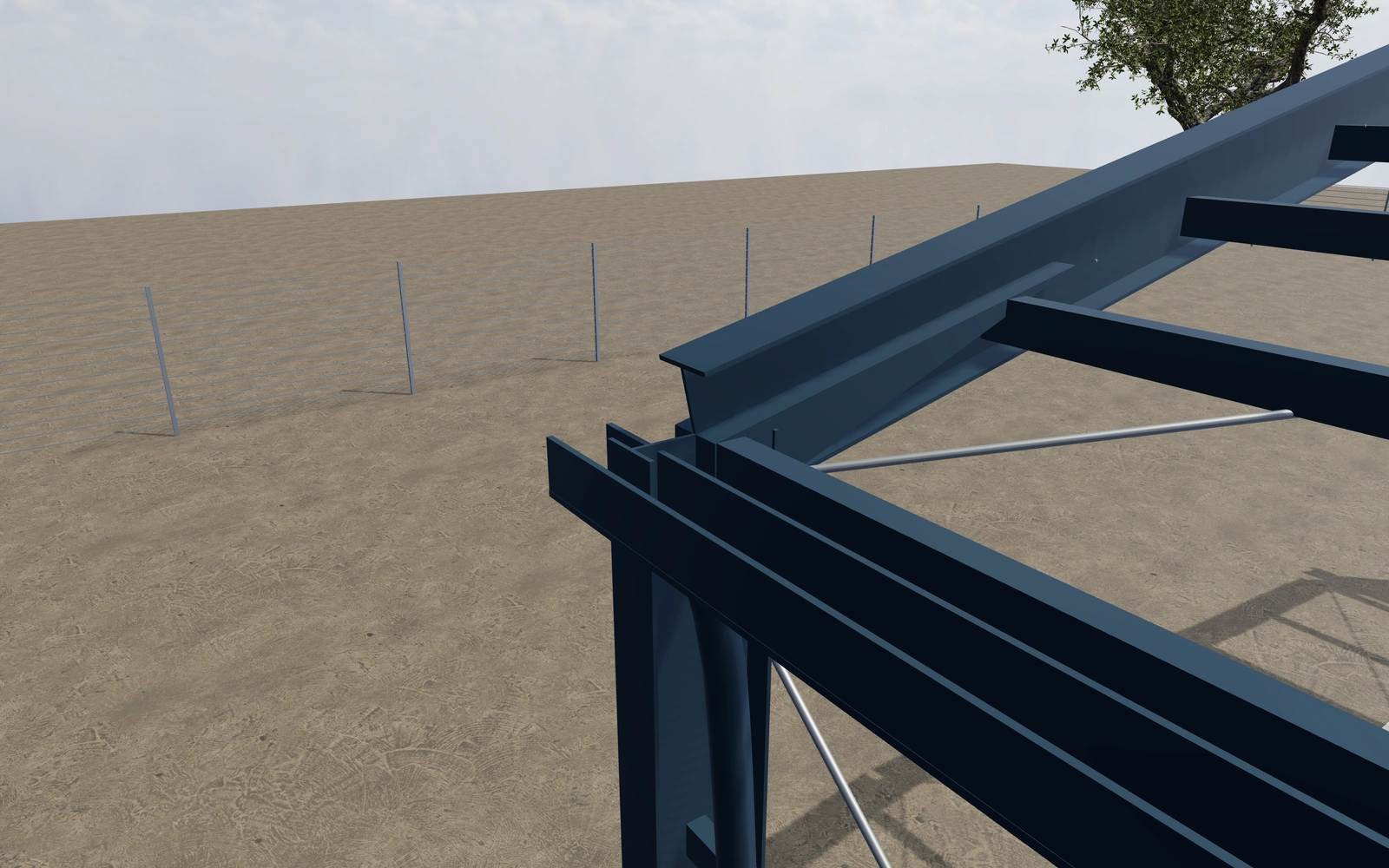
A different frame grid or only a different cladding layout?
Compare span, bay count and height before selecting vertical or horizontal wall panels. The grid organises openings and the intended handling routes. A detailed haunch or anchor appearance explains the assembly but does not establish the actual building’s structural design or rated loading.
Use the frame grid to organise openings and cladding
Compare the building arrangement with its intended clear space and access retained. The structure-only view helps explain the frame; the complete envelope explains roof and wall relationships. Neither view should be treated as a fabrication drawing or a substitute for the supplied engineering design.
Vertical and horizontal profiled wall panels create different elevations without necessarily changing the frame brief. Record roof, wall and frame finishes separately. Keep doors, foundations, services and technical design identifiable so the customer can compare proposals on a coherent building scope.
Steel portal-frame buildings options to compare
Review the selected model before refining individual details. Available choices can change with the model and earlier selections; the groups below describe the current starting configuration.
Dimensions
- Clear building span
- 8000–24000 mm in the current model
- Structural bay length
- 4000–6000 mm in the current model
- Eaves height
- 3500–8000 mm in the current model
Layout
- Lengthwise structural bays
- 2–7 in the current model
Shape
- Roof inclination
- 8–25 ° in the current model
Structure
- Portal member depth appearance
- 280–650 mm in the current model
- Wall and roof cross bracing
- Include or omit
Materials
- Frame finish
- Anthracite
- Warm white
- Brushed steel
- Bronze
- Deep blue
- Roof finish
- Anthracite
- Warm white
- Brushed steel
- Bronze
- Deep blue
- Wall finish
- Anthracite
- Warm white
- Brushed steel
- Bronze
- Deep blue
Envelope
- Wall cladding arrangement
- Vertical profiled panels
- Horizontal profiled panels
- Cladding panel module
- 800–1200 mm in the current model
- Nominal insulated-panel thickness
- 60–160 mm in the current model
Openings
- Large sliding entrance
- Include or omit
- Clear sliding opening width
- 3000–6000 mm in the current model
- Clear sliding opening height
- 2800–4000 mm in the current model
- Side personnel door
- Include or omit
Hardware
- Bolted end plates and ground anchors
- Include or omit
Rainwater
- Eaves gutters and downpipes
- Include or omit
Accessories
- Supported entrance canopy
- Include or omit
Dimension ranges describe the current model controls. Confirm the selected product, final measurements and supplied specification with the manufacturer.
Worked example: a customer brief for steel portal-frame buildings
For a workshop enquiry, save the preferred frame arrangement and record large-door access. Compare cladding preferences without changing the grid. List the selected envelope and openings on the proposal, keeping foundations, services and technical building requirements assigned for review.
From steel portal-frame buildings choices to a clear proposal
List the chosen arrangement and visible product selections on the proposal. Structural calculations, foundations, fire requirements and building permissions need the appropriate project team. A detailed haunch or anchor reference explains the assembly; it is not evidence of an engineered building design.
Questions for your steel portal-frame buildings review
- Frame grid
- Intended building use
- Door positions
- Qualified building design
Useful views for the steel portal-frame buildings review
Use these inspection views to discuss the arrangement and visible details before approving the specification.
- Portal knee, haunch and bolted connection
- Column bearing and anchor bolts
- Sliding industrial entrance and roller rail
- Cladding edge and secondary rail
Steel portal-frame buildings configurator FAQs
Can the framing view be used as a fabrication drawing?
No. It is a visual specification aid. Actual structural calculations, connection design and fabrication documentation require the qualified project team.
What should a portal-building enquiry say about the interior use?
Record the intended clear space, access and opening requirements before comparing cladding. Review the frame grid against those needs. Keep the actual loads, foundations and technical design with the responsible specialists rather than deriving them from the visual column spacing.
Put the choices
in the same view.
Explore the steel portal-frame buildings configurator, review the available product options and discuss your own range with our team.