
Make starter configurations useful without hiding the assumptions.
Give buyers a clear starting point with named example configurations, visible default choices and an easy route to adapt the product to their own project.
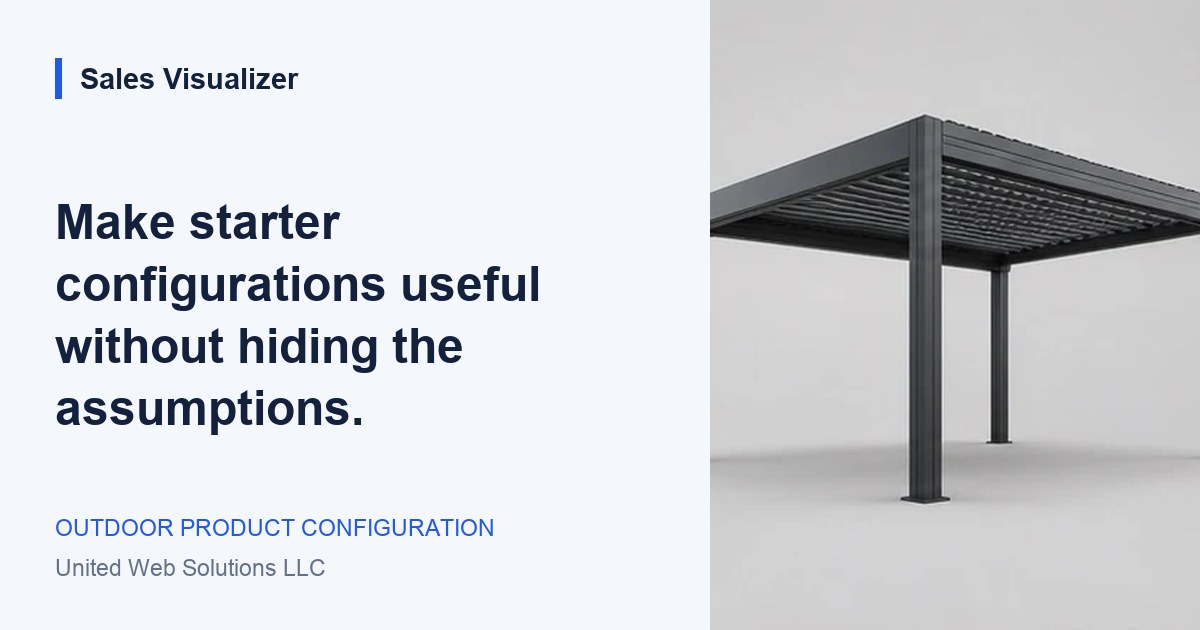
Choose a starter example around one recognizable customer task.
Start with a recognizable customer task
A blank product canvas can leave a first-time visitor unsure where to begin. A starter configuration gives them something concrete to explore: a compact garden workspace, a pergola for a dining area or a carport layout to discuss with the team. Choose examples around the decisions your customers actually ask about, then explain why each example exists.
Name the starting point by its purpose, not by an unsupported promise. “Garden workspace example” describes a scenario; “The perfect home office” claims a fit you have not established. Keep the example relevant to one product family and make its main assumptions visible. The buyer should recognize a useful starting idea while understanding that their own site and requirements still need review.
Expose the choices already made
List the dimensions, finish, mounting arrangement and included accessories beside the starter preview. Distinguish the example’s selected options from information the customer has supplied. If the buyer opens the example without changing anything, the resulting brief should still identify it as a starting configuration. Opening an example is not the same as confirming every choice.
Keep any displayed estimate tied to those selections and explain its scope. If changing a dimension removes an accessory or requires a review, show the effect at the moment of change. Avoid using a low example total that depends on exclusions the buyer only discovers later. When an estimate cannot be calculated from the available information, describe the missing decision and the next step.
Let buyers adapt the example in a useful order
Offer a clear action to explore or adapt the configuration. Begin with the choices that shape the rest of the product, such as the intended use or footprint, then move into the options relevant to that selection. Let the customer see what they have changed without repeatedly returning to the original example. Keep their valid choices when they revise one part of the design.
A reset control needs to explain its destination. “Return to this example” is clearer than an unexplained reset that restores a different product or silently removes a note. If switching between starter configurations would discard changes, give the buyer a chance to keep their current version. Where saving is available, name the version clearly so a returning customer can recognize it.
Review examples as part of the product range
Assign an owner to each starter configuration. Check its selected options, imagery and estimate assumptions when the range changes, and remove outdated suggestions from the journey. An example should pass the same product rules as a configuration built from scratch. Label anything that still needs technical or commercial review rather than giving it the appearance of an approved project.
Test whether a new visitor can explain the example and adapt it to a simple task. Ask the sales team to read the resulting brief and distinguish the starting assumptions from the buyer’s changes. Use misunderstandings to improve the labels or choice order. Sales Visualizer’s current concepts are illustrative starting points; they do not establish suitability, confirmed inventory or a final project price. Production examples need the business’s own range and review process.
Worked example: adapting a garden workspace
A hypothetical buyer opens a garden workspace example with a compact footprint and a dark frame. They want more storage space but have not measured their garden. The example helps begin the discussion without treating its dimensions as approved site measurements.
- Starting assumptions: example footprint, frame finish and glazing arrangement.
- Buyer’s change: explore a layout with a separate storage area.
- Open review: confirm the available space and the actual product options before quoting.
Your review list.
- Choose a starter example around one recognizable customer task.
- Show its selected options, estimate scope and unconfirmed assumptions.
- Explain adaptation, switching and reset behavior clearly.
- Give the example an owner and review it when the range changes.
See the next step
in Sales Visualizer.
Explore an illustrative experience, then review your own range and requirements with your team.
Explore the product concept library