
Passenger shelter configurator: balance seating, clear space and information access
A passenger shelter brings together a waiting area, seating and information. The configurator should help a customer discuss those uses without treating every bay as interchangeable space for another seat.
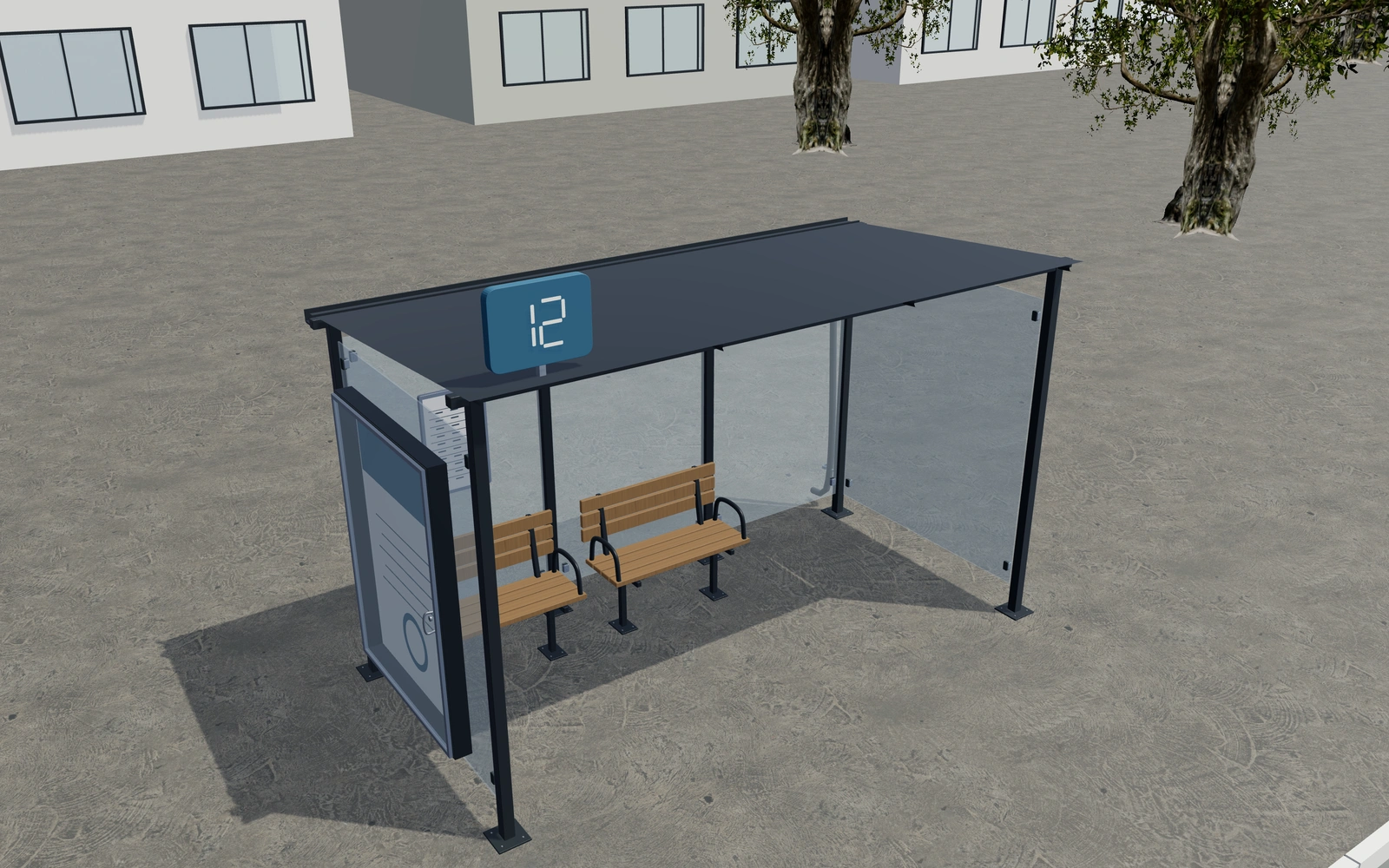
Balance seating, clear space and information access
Compare the structural bays and canopy appearance first. Review the seat arrangement with an approach and overhead view, leaving the intended clear area visible. Inspect the information case and lighting references so maintenance access can be discussed alongside the passenger-facing design.
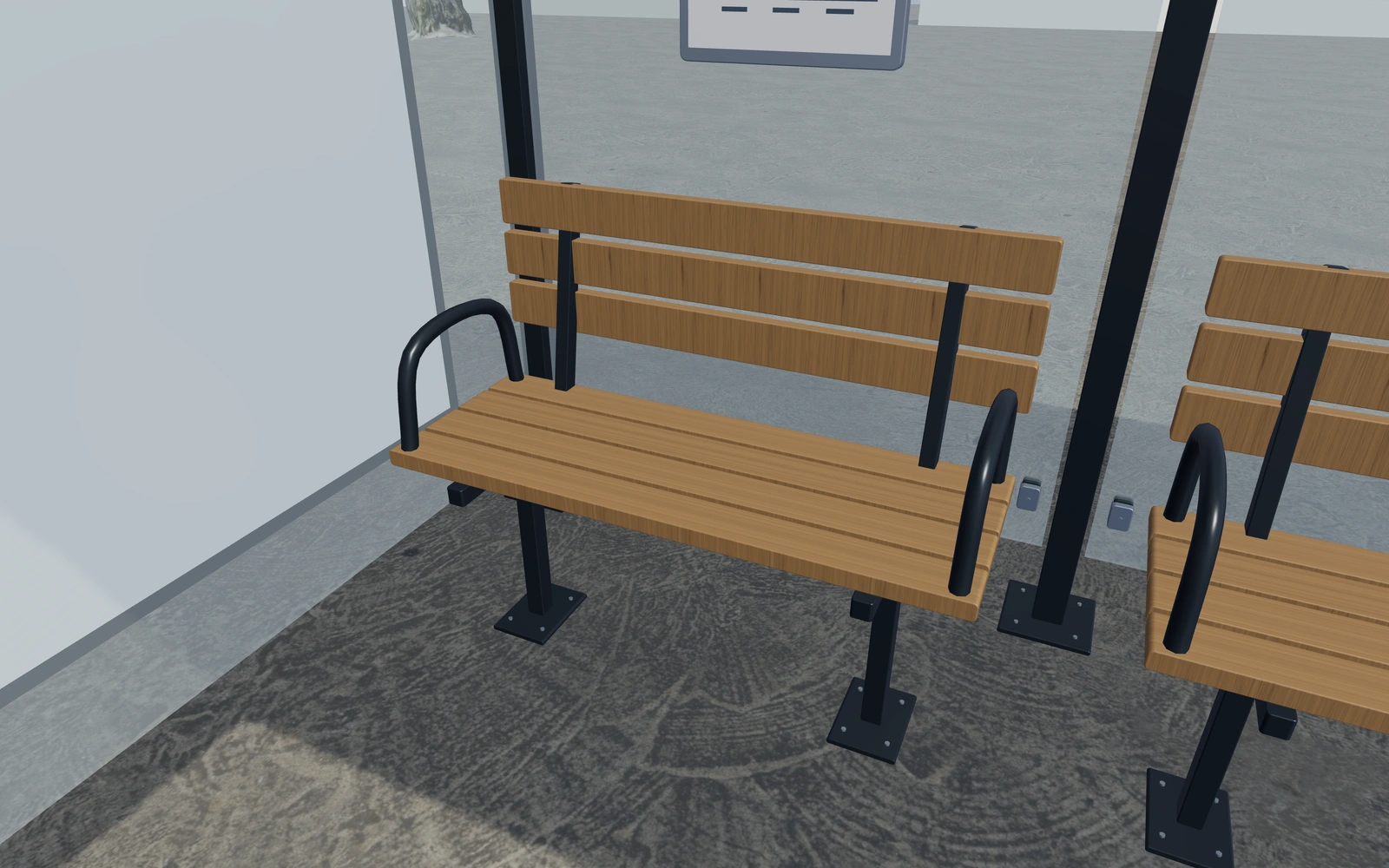
More seats or a clear waiting bay?
Compare the shelter bays with the chosen seating visible. A clear end bay may answer a project requirement that another bench would not. Information-case access, lighting and drainage details should be discussed alongside the passenger-facing appearance rather than added after the enclosure is chosen.
Preserve a waiting route alongside the seating
Compare the selected seats with a clear approach through the shelter. More seating may change the remaining waiting space, so retain the intended use before refining glazing or frame appearance. Review an end view to see how the enclosure and access relate.
Keep information panels and any route graphics identifiable in the specification. Record the actual location, ground condition and installation scope separately. The proposal should describe a selected shelter package and its site requirements rather than imply that reference signage or paving is automatically included.
Passenger shelters options to compare
Review the selected model before refining individual details. Available choices can change with the model and earlier selections; the groups below describe the current starting configuration.
Layout
- Modular shelter bays
- 2–5 in the current model
- Keep last bay free of seating
- Include or omit
Dimensions
- Width per bay
- 1200–1600 mm in the current model
- Shelter depth
- 1600–2300 mm in the current model
- Eaves height
- 2200–2650 mm in the current model
Frame
- Support arrangement
- Front and rear supports
- Rear-column cantilever appearance
Materials
- Frame finish
- Brushed metal
- Anthracite
- Deep blue
- Warm white
Canopy
- Roof profile
- Shallow monopitch canopy
- Curved barrel canopy
- Roof surface
- Opaque metal sheet
- Tinted transparent glazing
Drainage
- Rear gutter and downpipe
- Include or omit
Panels
- Rear infill
- Clear glazing
- Frosted glazing
- Timber battens
- Open rear
- Side weather panels
- Both ends
- Left end only
- Right end only
- Open ends
- Side infill
- Clear glazing
- Frosted glazing
- Timber battens
Seating
- Passenger seating
- Timber slatted bench
- Perforated metal seating
- Separate molded seats
- No seating
- Seat armrests
- Include or omit
Information
- Side information case
- No advertising case
- Left end case
- Right end case
- Rear timetable panel
- Include or omit
- Roof route marker
- Include or omit
- Illustrative route number
- 1–99 in the current model
Lighting
- Roof light diffusers
- Include or omit
- Light colour
- Warm white
- Neutral white
Accessories
- Standing passenger lean rail
- Include or omit
Dimension ranges describe the current model controls. Confirm the selected product, final measurements and supplied specification with the manufacturer.
Worked example: a customer brief for passenger shelters
For a stop upgrade, save the selected seating arrangement and record the approach and waiting requirements. List the shelter, seats and information fittings in the proposal, with location permissions and accessibility reviewed by the responsible project team.
From passenger shelters choices to a clear proposal
Keep the selected shelter and fittings explicit in the proposal. Actual accessibility, road or site permissions, foundations and signage content need the responsible project review. A street scene communicates context but should not be treated as evidence that a specific stop location has been assessed.
Questions for your passenger shelters review
- Seating arrangement
- Clear waiting area
- Information-case access
- Site and accessibility review
Useful views for the passenger shelters review
Use these inspection views to discuss the arrangement and visible details before approving the specification.
- Seat supports, armrests and reserved bay
- Glass clamp, post and anchor connections
- Advertising case, seals and service hinge
Passenger shelters configurator FAQs
Can I add the actual route information later?
Yes. Agree the signage content separately from the equipment’s visual information-case reference, keeping responsibility for updates clear.
How should seating and waiting space be balanced?
Review the intended passenger approach and keep a usable route through the selected shelter. Identify seats and information panels separately. Record the real site and installation constraints so the proposal explains both the shelter package and the work around it.
Put the choices
in the same view.
Explore the passenger shelters configurator, review the available product options and discuss your own range with our team.