
Parcel locker bank configurator: design the compartment mix around the collection point
A parcel locker bank needs to fit both the space and the way people collect deliveries. A configurator is useful when it lets the sales team discuss compartment sizes, terminal position and service access together.
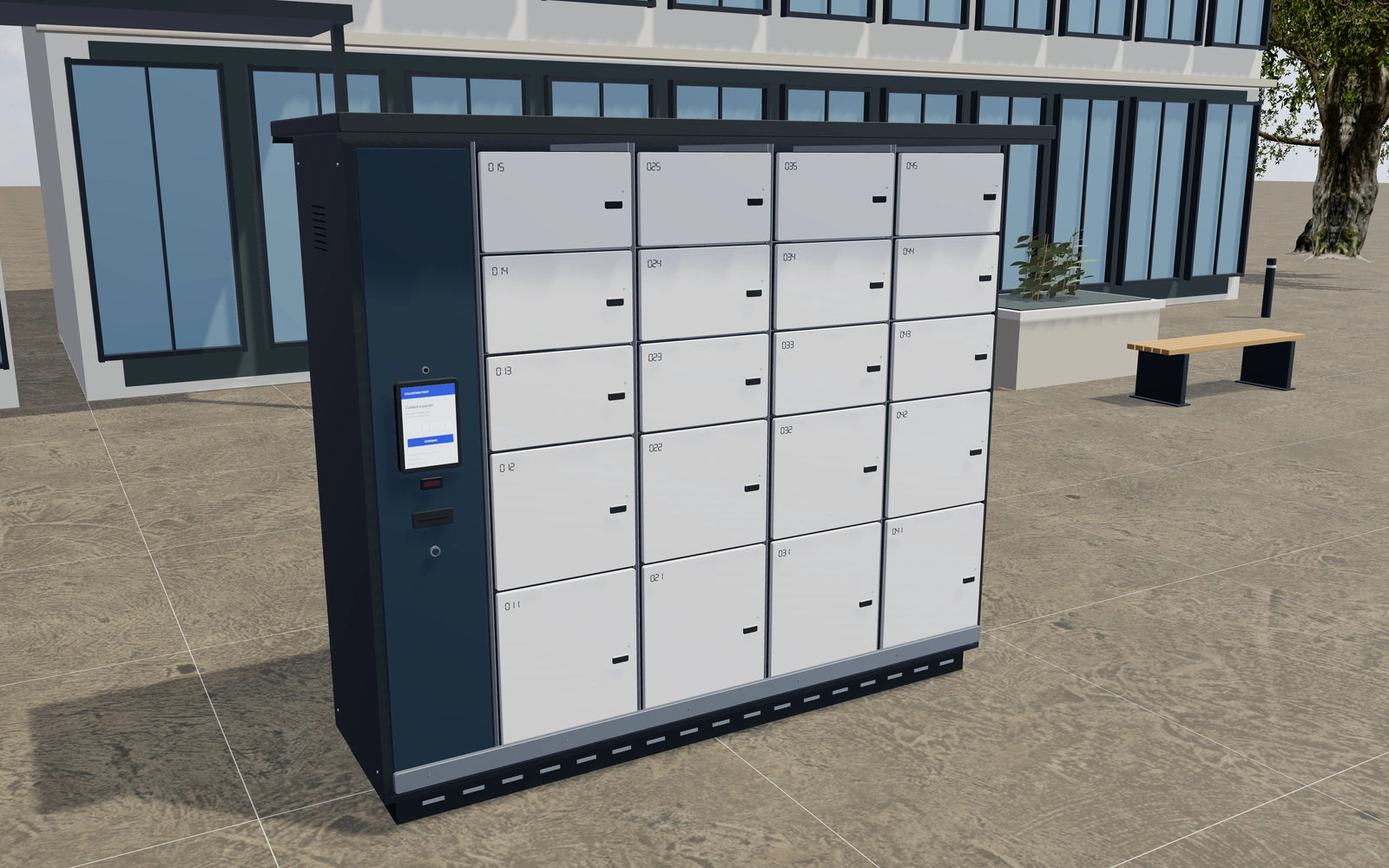
Design the compartment mix around the collection point
Compare the module columns and compartment mix before choosing colours. Review the touchscreen or keypad reference where a visitor will approach it, then inspect the opening doors. If the bank sits outdoors, keep the canopy and weather-detail preferences separate from the compartment arrangement.
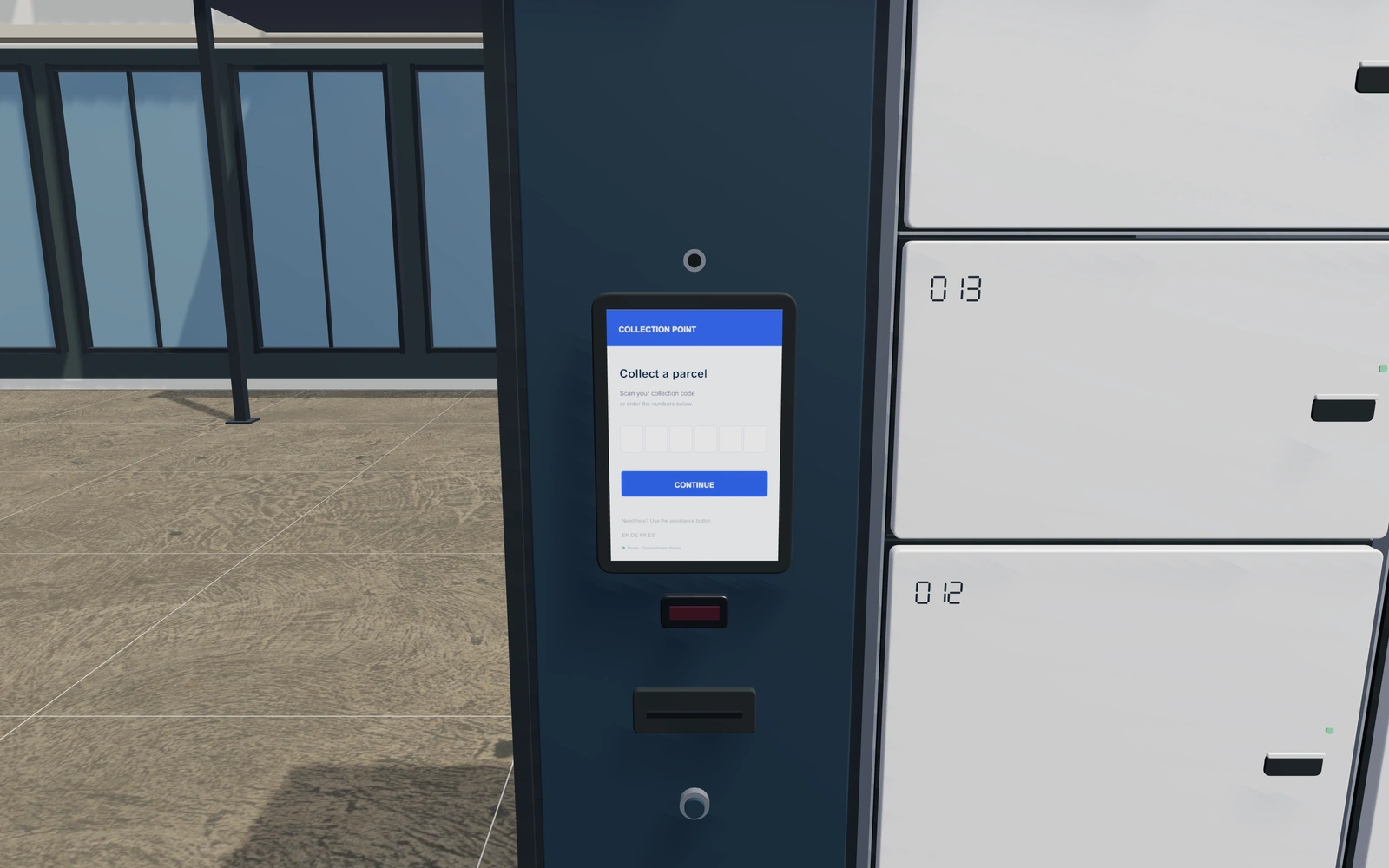
More small compartments or a different compartment mix?
Compare the bank’s intended delivery use before increasing its width. Compartment arrangement and controller position affect the collection discussion, while keypad or touchscreen appearances describe different terminal preferences. Inspect open doors and service access rather than judging the complete bank only from its closed frontage.
Match the compartment mix to the collection brief
Equal compartments, smaller compartments above larger ones and an oversize lower space create different bank compositions. Compare them within the same available frontage. Controller position is a separate choice because a terminal at the end and one between columns give the customer different equipment layouts.
Touchscreen and keypad references should be described alongside the selected hardware appearance. Powder-coated and stainless-looking finishes can be coordinated independently from the doors and fascia. List the actual access or delivery integration separately; the model’s terminal explains appearance rather than supplying a working logistics service.
Parcel locker banks options to compare
Review the selected model before refining individual details. Available choices can change with the model and earlier selections; the groups below describe the current starting configuration.
Layout
- Installation setting
- Outdoor collection point
- Indoor reception bank
Dimensions
- Locker column width
- 400–650 mm in the current model
- Cabinet height including base
- 1800–2300 mm in the current model
- Cabinet depth
- 450–800 mm in the current model
- Controller column width
- 300–500 mm in the current model
Compartments
- Compartments per column
- 3–6 in the current model
- Compartment arrangement
- Equal-size compartments
- Small compartments above large compartments
- Oversize lower parcel compartment
Controller
- Controller location
- Left end
- Between middle columns
- Right end
- Access terminal
- Touchscreen with barcode reader
- Keypad with contactless reader
- Touchscreen size
- Portrait display
- Landscape display
- Controller screen centre height
- 1050–1450 mm in the current model
- Label printer slot
- Include or omit
- Small terminal camera
- Include or omit
- Physical assistance button
- Include or omit
Materials
- Cabinet construction appearance
- Powder-coated steel
- Brushed stainless steel
- Cabinet finish
- Anthracite
- Warm white
- Sage green
- Deep blue
- Bronze
- Compartment door finish
- Anthracite
- Warm white
- Sage green
- Deep blue
- Bronze
- Terminal fascia finish
- Anthracite
- Warm white
- Sage green
- Deep blue
- Bronze
Base
- Ground support
- Recessed continuous plinth
- Adjustable feet with anchor plates
- Base height
- 60–160 mm in the current model
Weather
- Overhanging rain canopy
- Include or omit
- Front canopy overhang
- 80–300 mm in the current model
- Rear gutter and downpipe
- Include or omit
- Side ventilation slots
- Include or omit
Lighting
- Canopy task-light strip
- Include or omit
- Light appearance
- Warm white
- Neutral white
Details
- Permanent compartment numbering
- Include or omit
- Door status indicators
- Include or omit
- Recessed finger pulls
- Include or omit
- Lower protective kick rail
- Include or omit
Dimension ranges describe the current model controls. Confirm the selected product, final measurements and supplied specification with the manufacturer.
Worked example: a customer brief for parcel locker banks
For a reception-area collection point, save two compartment mixes using the same available wall space. Note the visitor approach and controller position. Quote the selected bank and weather or lighting accessories separately, with any delivery-system integration agreed as its own requirement.
From parcel locker banks choices to a clear proposal
Describe the chosen bank layout on the proposal and identify any control-system integration as a separate requirement. A visual terminal is not a live delivery or access-management service. Record site dimensions and the operator’s collection process so the equipment discussion connects with the actual location.
Questions for your parcel locker banks review
- Compartment mix
- Terminal position
- Opening-door access
- Control-system requirements
Useful views for the parcel locker banks review
Use these inspection views to discuss the arrangement and visible details before approving the specification.
- Controller and access hardware
- Open compartment and door detail
Parcel locker banks configurator FAQs
Is the terminal a connected delivery service?
No. The visual terminal helps specify equipment appearance. Actual delivery, access-control and notification integrations must be agreed separately.
What should the locker schedule say about compartment sizes?
List the mix of compartment types with the bank arrangement and controller position. Record the expected parcel use and approach. Keep weather accessories and any actual access or delivery integration separate so equipment appearance is not confused with an operating service.
Put the choices
in the same view.
Explore the parcel locker banks configurator, review the available product options and discuss your own range with our team.