
Outdoor kitchen configurator: build the cabinet sequence before deciding the overall shape
An outdoor kitchen should start with the modules the customer needs. Giving the whole run an arbitrary width does not identify the storage, cooking and preparation cabinets that have to sit beside one another.
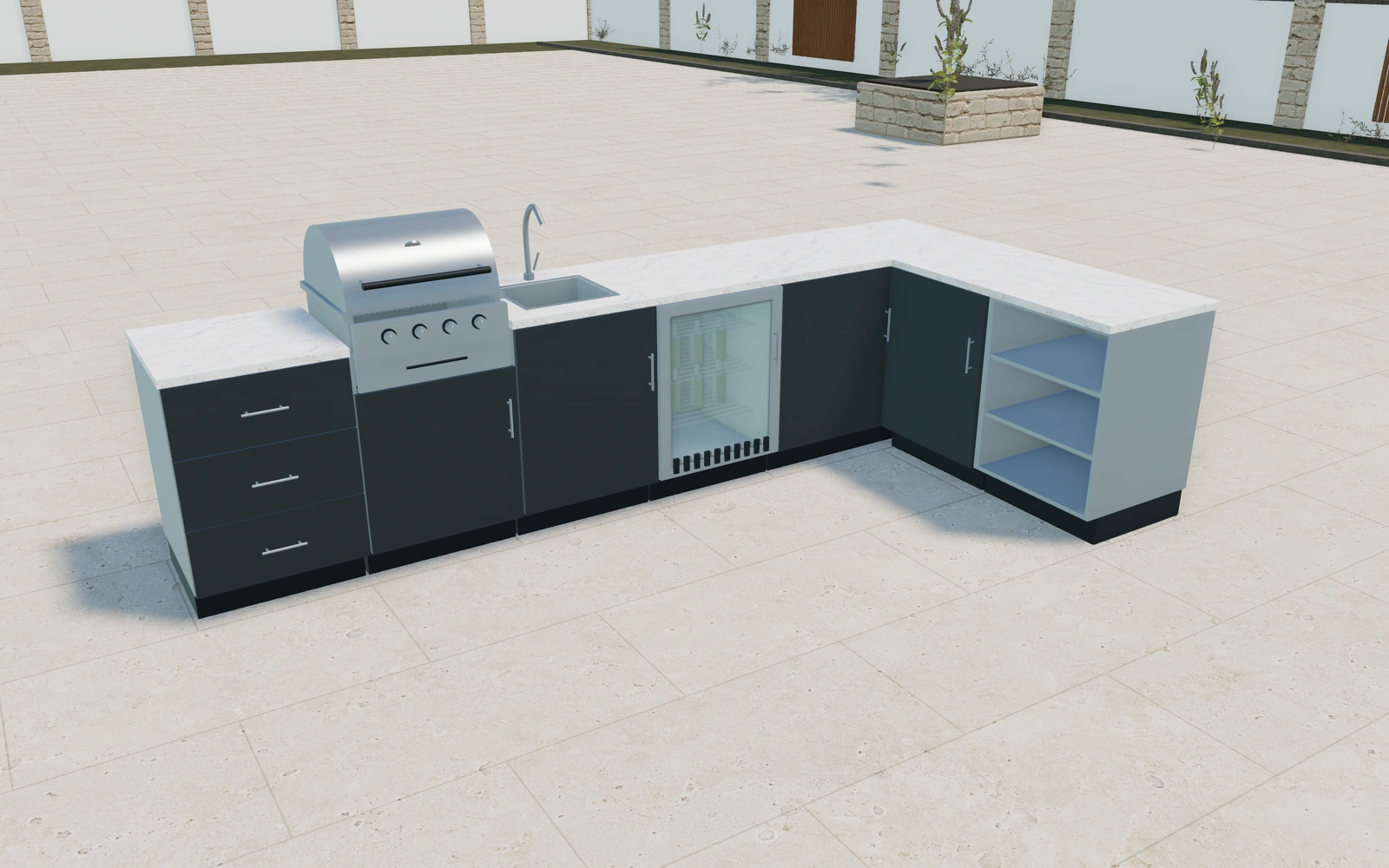
Build the cabinet sequence before deciding the overall shape
Add the required cabinets individually, then duplicate, remove or reorder them to form the sequence. Compare straight, L-shaped and U-shaped arrangements through their module connections. Review the working storage and appliance positions before changing the front and countertop appearances.
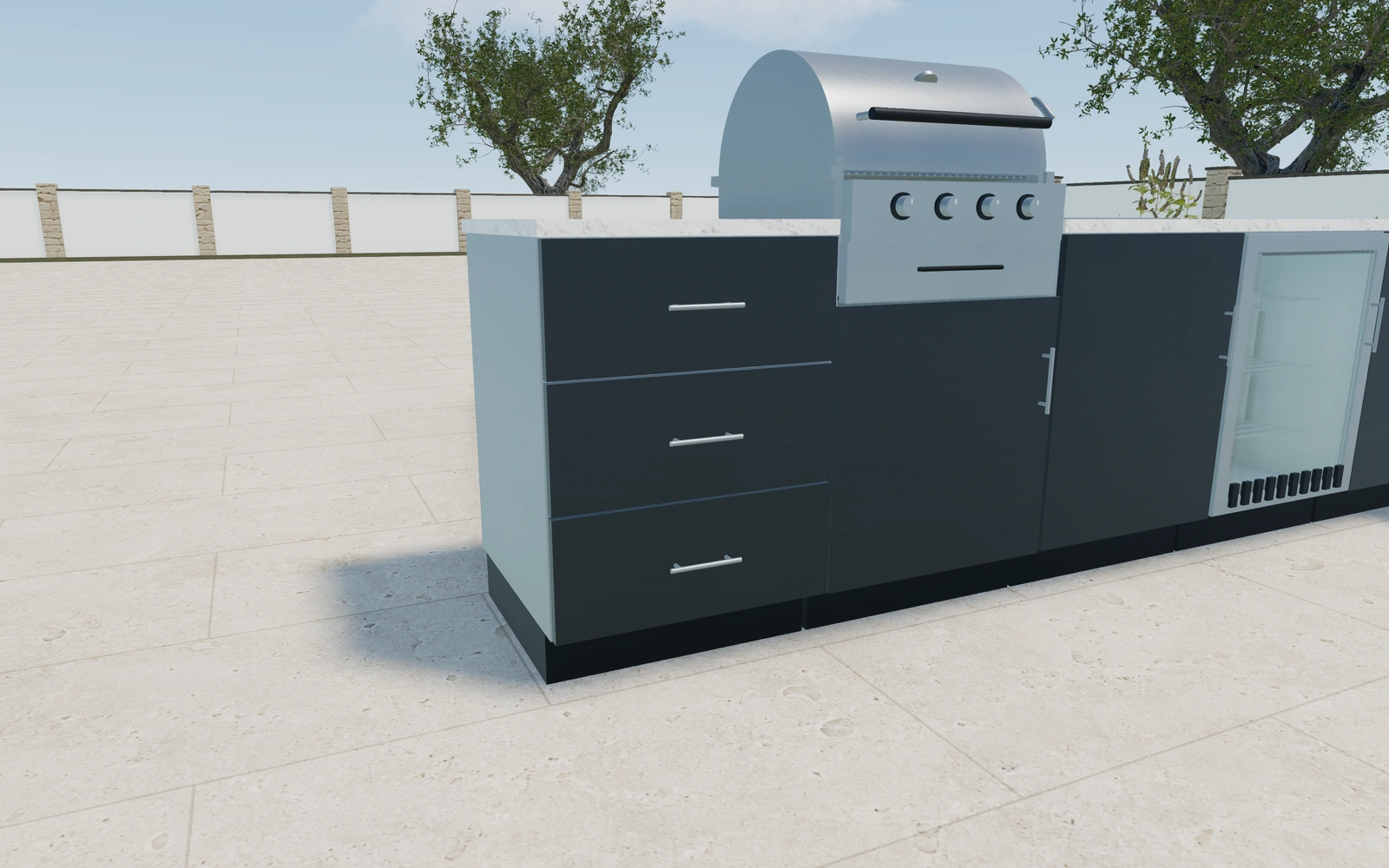
Storage cupboard or another appliance module?
Compare the cabinet sequence before choosing an L or U arrangement. A barbecue, sink and beverage refrigerator answer different requirements from another drawer unit. Cabinet widths belong to the individual modules; the proposal should preserve that sequence rather than describe the kitchen only by its outside dimensions.
Build the cabinet sequence before the exterior finish
Add and order individual cupboard, drawer, sink and appliance modules according to the cooking brief. Compare their positions before refining fronts or worktops. A barbecue and a beverage refrigerator should be identifiable cabinet choices, rather than assumed equipment inside a generic long kitchen block.
Review the selected module sizes and access before coordinating powder-coat, stainless or timber appearances. Keep worktop, splashback, handles and actual appliance connections distinct in the proposal. The saved cabinet sequence should remain stable while the customer compares material schemes.
Outdoor kitchen options to compare
Review the selected model before refining individual details. Available choices can change with the model and earlier selections; the groups below describe the current starting configuration.
Layout
- Kitchen layout
- Straight run
- Standard cabinet units
- 1–12 in the current model
Dimensions
- Standard unit width
- 600–900 mm in the current model
- Finished worktop height
- 850–1000 mm in the current model
- Base carcass depth
- 550–650 mm in the current model
- Plinth height
- 80–180 mm in the current model
Base units
- Cabinet function
- Weatherproof storage cupboard
- Three-drawer storage
- Stainless sink and mixer
- Built-in gas barbecue
- Glass-door beverage refrigerator
- Open preparation shelves
Finishes
- Cabinet front design
- Flat slab
- Shaker frame
- Front finish
- Graphite powder coat
- Sage powder coat
- Brushed stainless steel
- Warm timber appearance
- Carcass and shelf finish
- Brushed stainless steel
- Graphite metal
Worktops
- Worktop material
- Warm-white quartzite
- Charcoal quartzite
- Worktop thickness
- 20–40 mm in the current model
- Splashback
- No splashback
- Matching worktop slab
- White tiled splashback
Hardware
- Handles and tap finish
- Brushed stainless
- Black
- Bronze
- Cabinet handles
- Slim bar pulls
- Round knobs
- Handleless push to open
Island
- Add preparation island
- Include or omit
Cabinets
- Individual cabinet module
- Base cupboard · 300 mm
- Base cupboard · 450 mm
- Base cupboard · 600 mm
- Base cupboard · 800 mm
- Base cupboard · 900 mm
- Drawer cabinet · 450 mm
- Drawer cabinet · 600 mm
- Drawer cabinet · 800 mm
- Drawer cabinet · 900 mm
- Sink cabinet · 600 mm
- Sink cabinet · 800 mm
- Sink cabinet · 900 mm
Dimension ranges describe the current model controls. Confirm the selected product, final measurements and supplied specification with the manufacturer.
Worked example: a customer brief for outdoor kitchen
For outdoor dining, start with cooking and washing modules, then add preparation and storage. Compare a straight arrangement with a corner return using the same requirements. List the selected cabinets and appliances separately, with utility connections and actual outdoor product suitability confirmed before supply.
From outdoor kitchen choices to a clear proposal
Keep the cabinet list with the saved customer project and use it when adding proposal items. Appliance specifications, utility connections, outdoor suitability and installation requirements need confirmation for the actual supplied products. The useful visual brief preserves the module order as well as the finished kitchen image.
Questions for your outdoor kitchen review
- Individual cabinet list
- Module order
- Corner connections
- Appliance and service requirements
Useful views for the outdoor kitchen review
Use these inspection views to discuss the arrangement and visible details before approving the specification.
- Worktop and appliances
- Cabinet joinery and storage
- Island and breakfast seating
Outdoor kitchen configurator FAQs
Should I begin by stretching a kitchen to a width?
No. Start with the required cabinets and their individual dimensions, then arrange them and resolve corners against the actual installation space.
How should a barbecue cabinet affect the rest of the cabinet run?
Choose its module position with the sink, preparation and storage sequence visible. Retain the actual appliance requirements and service brief for supplier review. Keep worktop, fittings and installation items explicit rather than assuming the rendered cabinet resolves every appliance connection.
Put the choices
in the same view.
Explore the outdoor kitchen configurator, review the available product options and discuss your own range with our team.