
Modular apiary hive configurator: keep the module sequence readable in the order
A modular hive configuration can become difficult to describe if the customer refers only to the complete stack. The configurator should help make the module sequence and selected fittings understandable as a product specification.
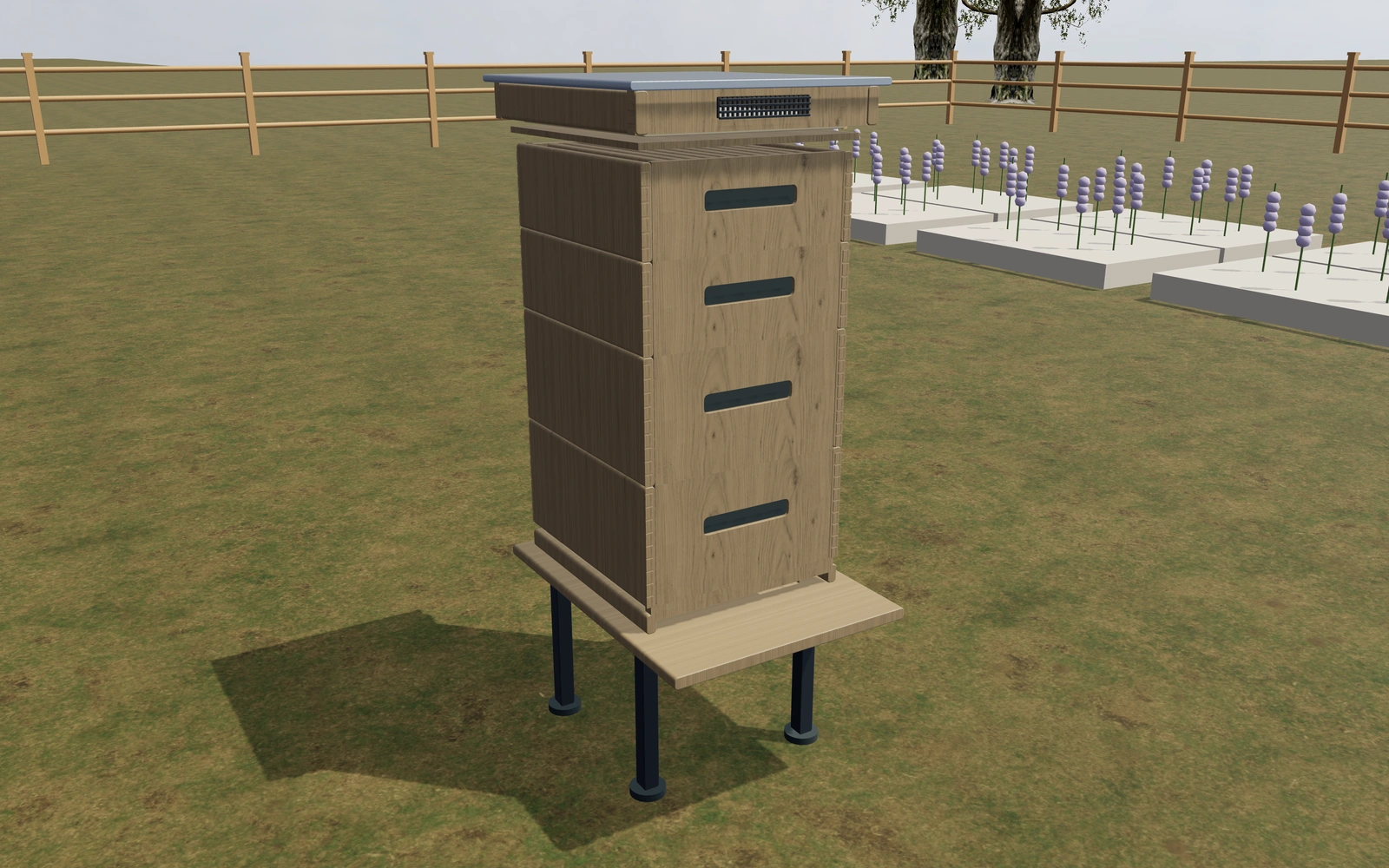
Keep the module sequence readable in the order
Compare the chosen arrangement from the front and side. Identify the individual sections and the access needed around them before discussing finishes. Record the customer’s preferred module combination rather than assuming that every visually similar hive contains the same parts.
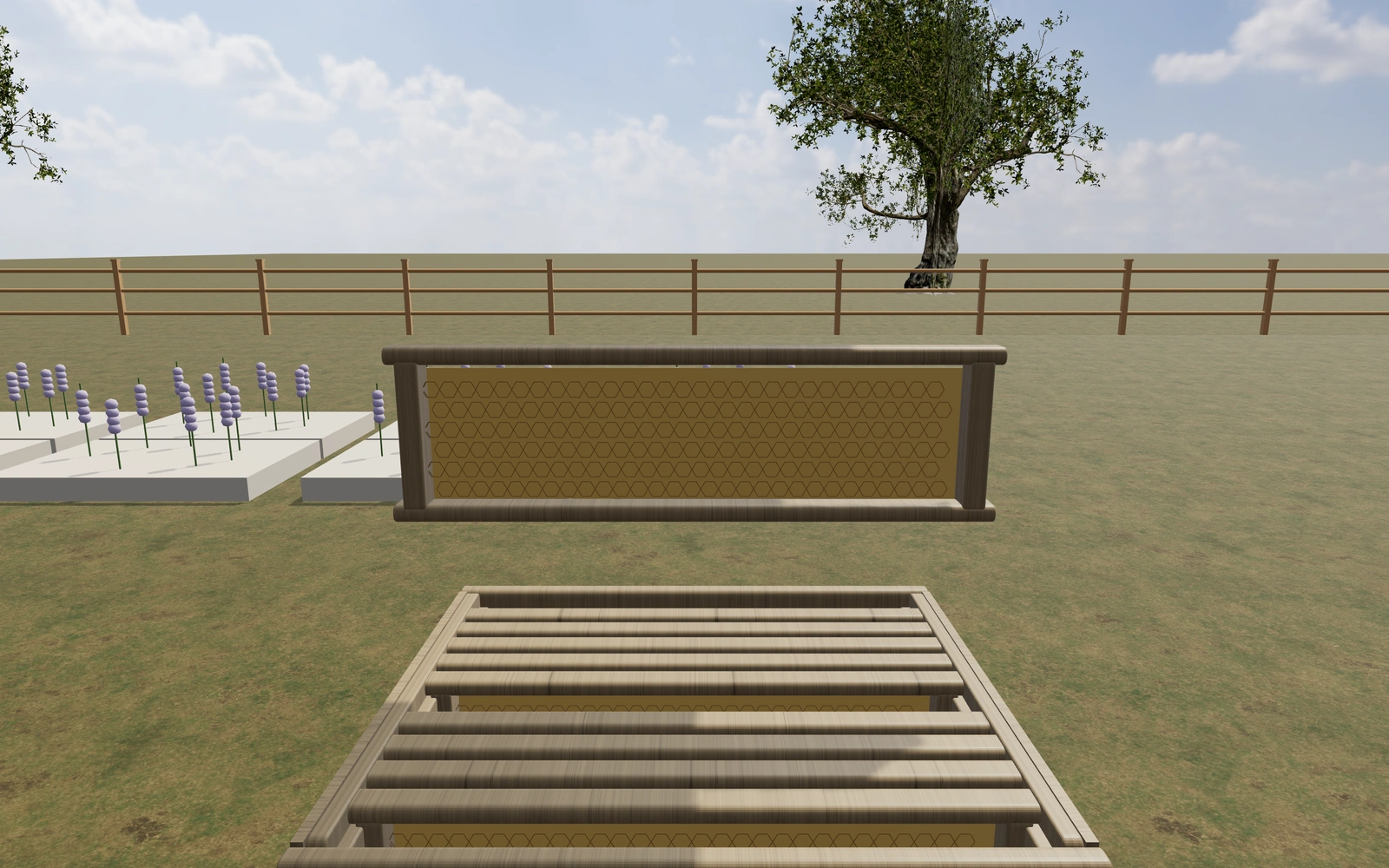
A different module sequence or only a different exterior?
Compare the individual sections in the selected stack before refining finishes. Two visually similar hives may contain different modules or fittings. Keep access around the equipment visible so the customer can discuss the intended position and supplied components accurately.
Make each selected hive module identifiable
A complete stack can conceal which boxes, covers and fittings are included. Review the module sequence at close range and record each selected element. Compare a changed stack by identifying the actual module added or removed rather than relying only on total visual height.
Keep exterior finish separate from the functional component list. Retain the customer’s intended hive system and accessory requirements with the project. A proposal built from named modules makes it easier to discuss replacements or additions without implying that every item shown nearby belongs to the supplied package.
Modular apiary hives options to compare
Review the selected model before refining individual details. Available choices can change with the model and earlier selections; the groups below describe the current starting configuration.
Layout
- Frame format
- Eight-frame width
- Ten-frame width
Dimensions
- Body front to back depth
- 480–560 mm in the current model
- Timber wall thickness
- 18–28 mm in the current model
- Stand height
- 250–500 mm in the current model
Materials
- Timber appearance
- Pale pine appearance
- Warm cedar appearance
- Dark stained timber
- Outer box finish
- Natural timber
- Warm white paint
- Sage paint
- Muted blue
- Ochre paint
Cover
- Outer cover
- Metal-capped telescoping lid
- Pitched timber roof with metal cap
- Insulated inner cover
- Include or omit
- Screened cover vents
- Include or omit
Base
- Hive stand
- Adjustable metal stand
- Raised timber stand
Interior
- Queen-excluder grille
- Include or omit
- Frame foundation appearance
- Wax-coloured hexagonal foundation
- Dark polymer foundation
- Empty frame openings
- Top feed chamber
- Include or omit
Hardware
- Transport strap and buckle
- Include or omit
- Lift handles on boxes
- Include or omit
- Entrance fitting
- Open entrance
- Entrance reducer
- Perforated entrance guard
Dimension ranges describe the current model controls. Confirm the selected product, final measurements and supplied specification with the manufacturer.
Worked example: a customer brief for modular apiary hives
For an equipment order, save the preferred module sequence and name each selected component in the proposal. Record compatibility questions and the actual supplier references so a later exterior change does not obscure what is included in the package.
From modular apiary hives choices to a clear proposal
Carry the module list into the proposal so the supplier and customer can check it against the saved view. Confirm compatibility and the supplied components with the relevant product information. The visual planner should support equipment ordering without presenting itself as advice on colony health or beekeeping management.
Questions for your modular apiary hives review
- Module sequence
- Selected fittings
- Access around the stack
- Component compatibility
Useful views for the modular apiary hives review
Use these inspection views to discuss the arrangement and visible details before approving the specification.
- Frames, foundation and box joinery
- Entrance, ventilation and inspection drawer
- Cover, inner board and ventilation
Modular apiary hives configurator FAQs
Should the proposal rely on the complete-stack image alone?
No. Include the module sequence and selected fittings. Confirm the actual supplied parts and compatibility alongside the saved configuration.
How should hive modules be listed on a proposal?
Identify the selected sequence and quantity of boxes and fittings, rather than describing only the height of the assembled stack. Keep the customer’s intended system and accessories explicit. This makes it easier to discuss a module change without silently altering the rest of the package.
Put the choices
in the same view.
Explore the modular apiary hives configurator, review the available product options and discuss your own range with our team.