
Curtain-wall facade configurator: coordinate the façade grid before reviewing finishes
A curtain-wall configurator can make a complex elevation easier to discuss if the grid stays connected to the building’s storeys, returns and entrances. Colour alone is not a useful starting point for that specification.
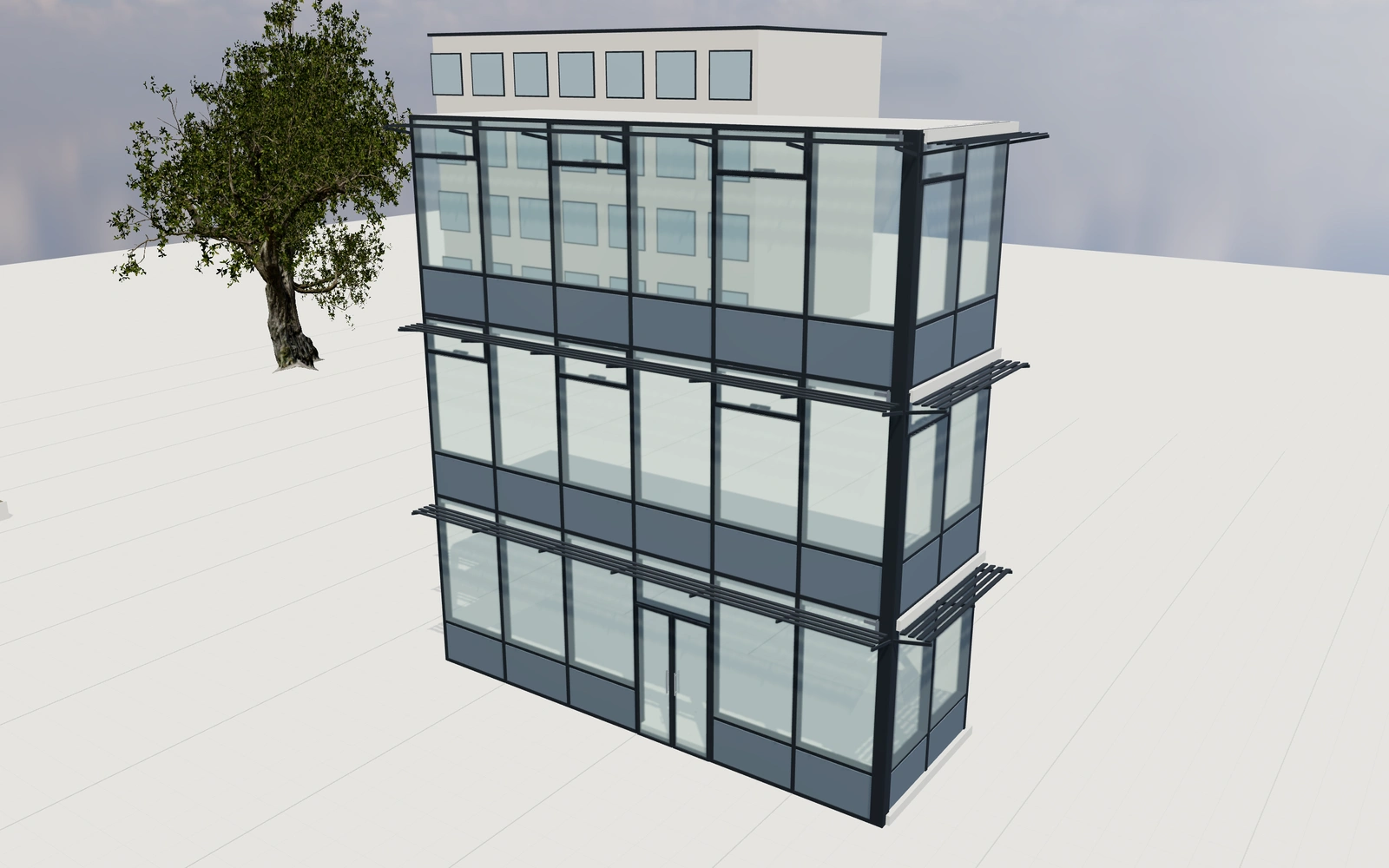
Coordinate the façade grid before reviewing finishes
Compare bay widths and storey heights with the selected return arrangement. Inspect the relationship between glazing, spandrels and pressure-cap appearances, then review the opening vents and entrance. Keep floor references and customer-supplied elevation information with the project.
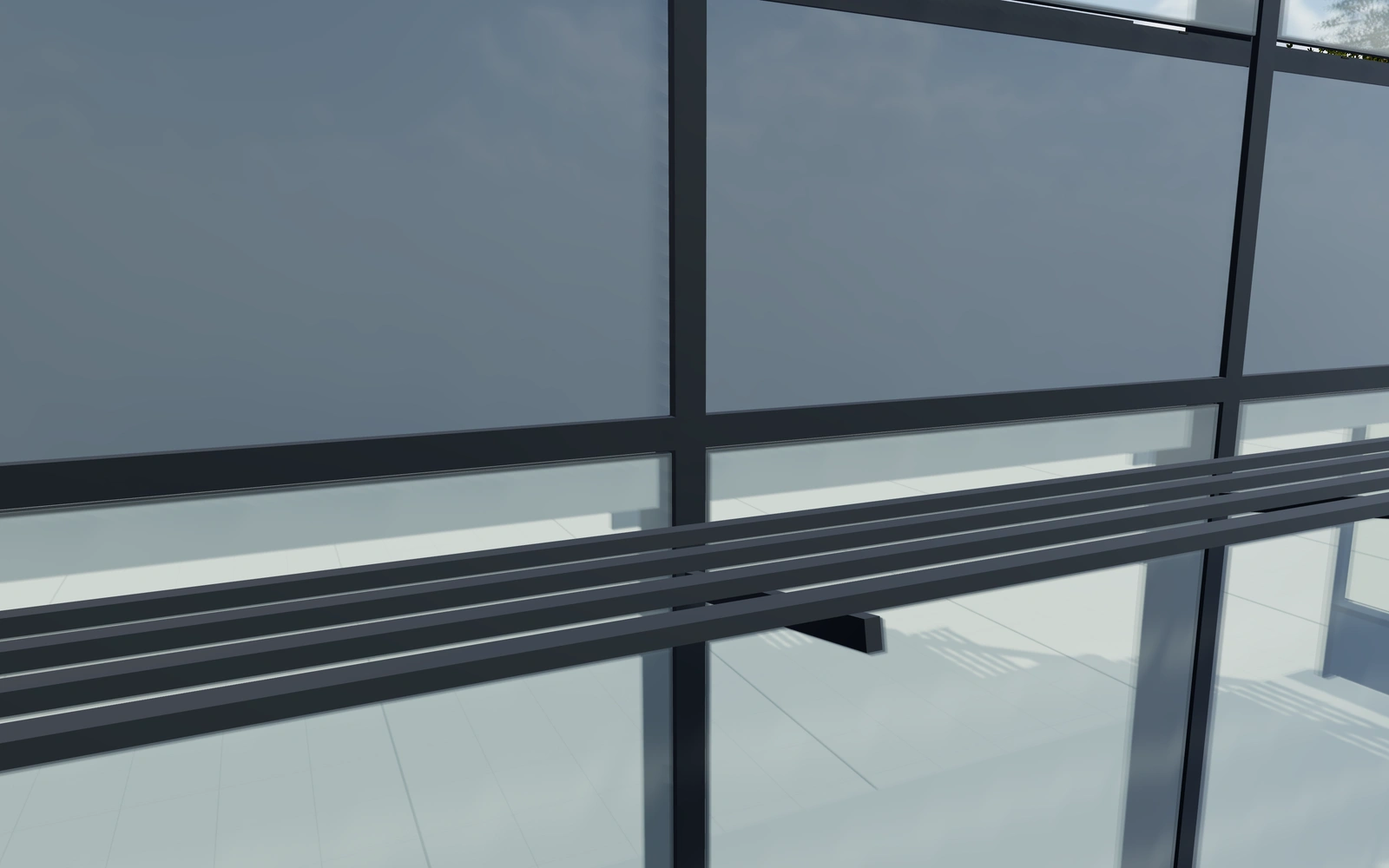
Full pressure-cap grid or selected flush-looking joints?
Compare cap arrangements on the same bay and storey grid. The change can clarify the customer’s preferred façade rhythm without changing the building brief. Keep spandrel, vision-glazing and opening-vent decisions separate so a surface preference does not conceal a different elevation arrangement.
Coordinate grid, caps and infills across the elevation
Full pressure caps and selected flush-looking joints change the visible facade grid. Compare them on the same opening and return arrangement. Vision glazing, spandrel finish and opening-vent pattern should be reviewed separately so a different joint appearance is not mistaken for a complete system change.
Record the selected double- or triple-glazing appearance alongside the actual supplied performance requirements. Keep corner returns and elevation-specific choices in the project. The proposal should distinguish the visual facade package from its technical design, substructure and installation scope.
Curtain-wall facades options to compare
Review the selected model before refining individual details. Available choices can change with the model and earlier selections; the groups below describe the current starting configuration.
Grid
- Facade bays
- 2–10 in the current model
Dimensions
- Bay centre spacing
- 1000–2400 mm in the current model
- Floor-to-floor height
- 2800–4200 mm in the current model
Structure
- Mullion depth
- 120–280 mm in the current model
Layout
- Corner arrangement
- Straight elevation
- Left return
- Right return
- Return facade bays
- 1–5 in the current model
Profiles
- Pressure-cap arrangement
- Horizontal and vertical caps
- Vertical caps with flush transoms
- Horizontal caps with flush mullions
- Pressure-cap projection
- 8–40 mm in the current model
Materials
- Aluminium finish
- Anthracite
- Architectural bronze
- Warm white
- Brushed aluminium
Glazing
- Vision glazing appearance
- Clear
- Solar-control appearance
- Bronze tint
- Obscure appearance
- Glazing build-up
- Double glazing appearance
- Triple glazing appearance
- Spandrel zone per floor
- 300–1200 mm in the current model
- Spandrel finish
- Grey enamel appearance
- Black enamel appearance
- Bronze enamel appearance
Ventilation
- Opening vent pattern
- All fixed glazing
- Alternate upper-floor bays
- Vent in every bay
- Vent height
- 400–900 mm in the current model
Shading
- External horizontal sunshades
- Include or omit
- Sunshade projection
- 250–900 mm in the current model
Hardware
- Floor-edge anchor brackets
- Include or omit
- Pressure-cap drainage slots
- Include or omit
Entrance
- Ground-floor double entrance
- Include or omit
Dimension ranges describe the current model controls. Confirm the selected product, final measurements and supplied specification with the manufacturer.
Worked example: a customer brief for curtain-wall facades
For an office frontage, save two cap and glazing-appearance preferences with the same returns. Record entrance and vent locations. Identify the selected system appearance on the proposal, with anchoring, movement and actual glazing performance retained for façade-specialist review.
From curtain-wall facades choices to a clear proposal
Identify the selected grid and visible components on the proposal. Actual anchoring, movement, glazing performance and system compatibility need the façade specialist’s design and documentation. The model helps communicate the intended arrangement while those technical responsibilities remain clear.
Questions for your curtain-wall facades review
- Bay and storey grid
- Return arrangement
- Opening components
- Façade specialist review
Useful views for the curtain-wall facades review
Use these inspection views to discuss the arrangement and visible details before approving the specification.
- Double entrance and pull handles
- Mullion, pressure cap and floor anchor
- Opening vent and actuator
- Facade corner and return
Curtain-wall facades configurator FAQs
Can a solar-control appearance supply a performance value?
No. Use the actual glazing and façade-system documentation for performance. The appearance choice records the visual preference.
How should a facade grid be compared across elevations?
Keep the building opening and grid reference fixed while comparing caps, joints and infills. Record each elevation’s selected pattern. Obtain the supplied system’s structural and performance specification separately so a flush-looking joint is not mistaken for a complete technical facade design.
Put the choices
in the same view.
Explore the curtain-wall facades configurator, review the available product options and discuss your own range with our team.