
Container garden room configurator: use each elevation to explain the container finish
A container garden room often has different visual priorities on the entrance side and the quieter elevations. A useful configurator helps the buyer discuss those faces separately instead of treating a single finish swatch as the complete specification.
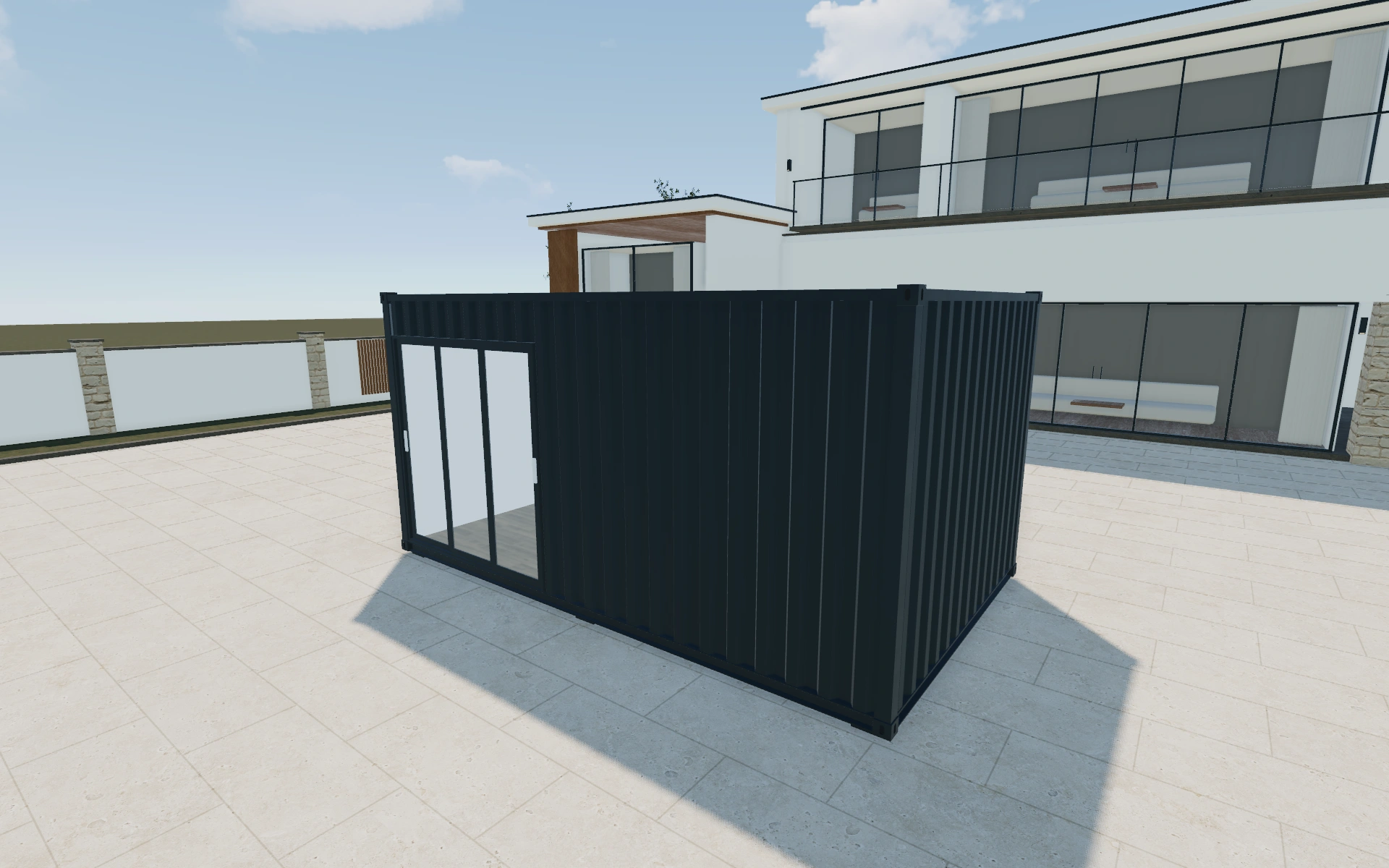
Use each elevation to explain the container finish
Start with the container proportions and the elevation that will face the main garden approach. Compare front cladding with the visible sides. If only the front is prominent in the customer’s sketch, use another camera angle to reveal what neighbours or visitors may see from the return.
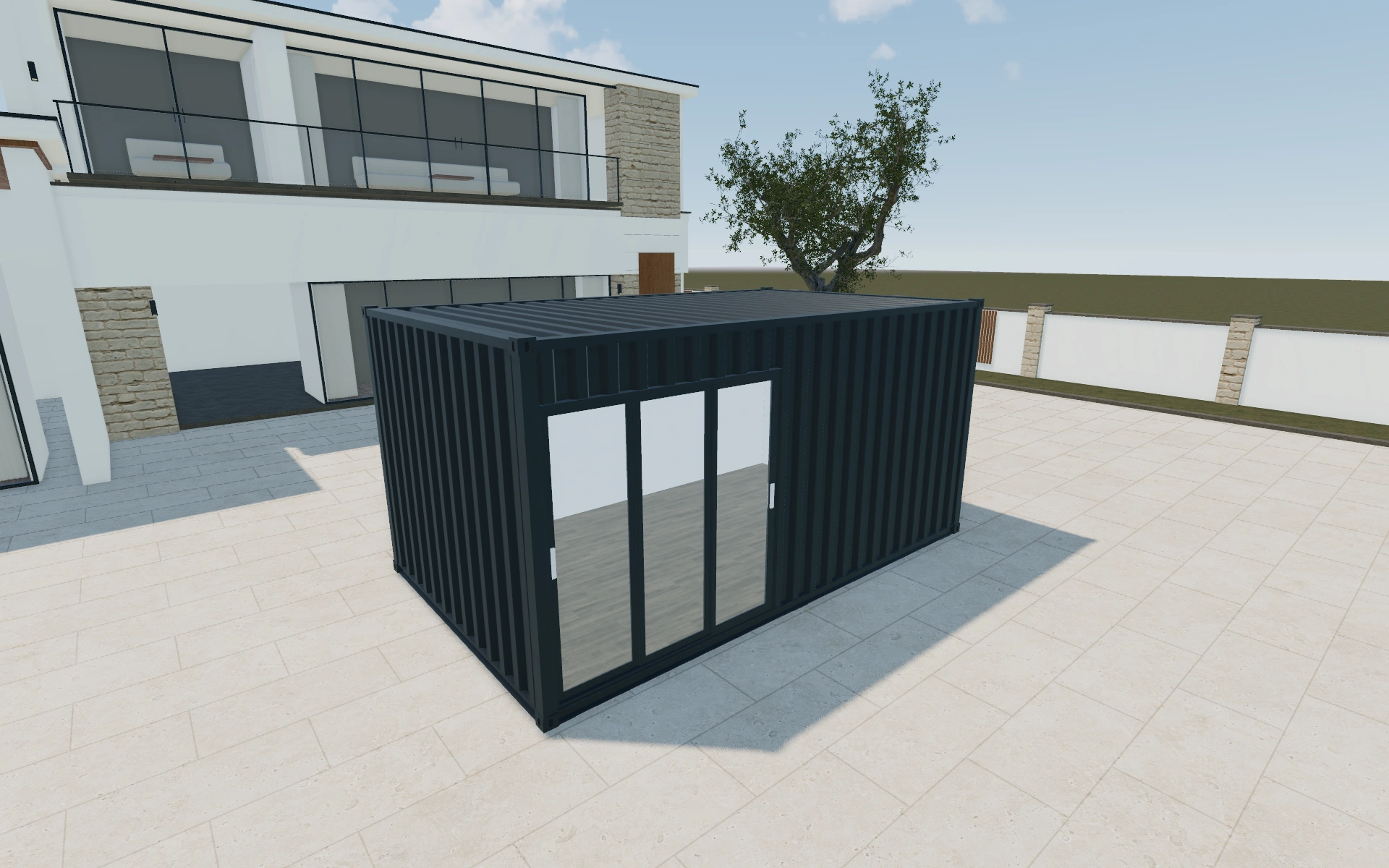
A compact container or a longer room?
The listed standard footprints include 3 by 3, 5 by 3 and 6 by 3 metres. Compare the room’s purpose at each size before choosing the front finish. Extra length should answer a furniture, circulation or storage need rather than simply make the image appear more substantial.
Use the long elevations to test the room brief
A container-based room has a strong long-side relationship that can disappear in a front-focused image. Compare the selected length with the intended entrance and useful internal wall. Keep the measurement system visible in the proposal so dimensions are not silently mixed between conversations.
Review glazing and finish along the sides as well as around the entrance. If the customer changes the room length, return to the internal-use discussion before accepting the same opening layout. List the configured room and the work needed to position and service it separately.
Container garden room options to compare
Review the selected model before refining individual details. Available choices can change with the model and earlier selections; the groups below describe the current starting configuration.
Dimensions
- Dimensions type
- Standard
- Custom
- Dimensions
- 3m x 3m
- 5m x 3m
- 6m x 3m
- Standard height
- 2.5m
- 3m
- Dimensions unit
- Metric
- Imperial
Finishes
- Container construction insulation
- Standard
- Insulated
- Container construction color type
- Anthracite
- Black
- White
- Custom
- Container cladding position
- Front
- Back
- Left
- Right
- Container cladding material - front
- Wood
- Composite
- Other
- Without cladding
- Container wall elements color type
- Anthracite
- White
- Container flooring type
- Laminate
- Vinyl
- Wood
- Container flooring color
- Natural oak
- Dark oak
- Brown walnut
- Container construction material
- Material for shipping container
- Container roof material
- Profiled
- Solid
- Container roof color type
- Anthracite
- Black
- White
- Custom
- Container roof color
- 7016
Roof
- Container roof overhang
- Without overhang
- With overhang
Openings
- Front selection
- Wall window
- Fixed window
- Single window
- Double window
- Large window
- Single door glass
- Single door paneled
- Double door glass
- Sliding doors
- Bifold doors
- 3m Double Sliding door
- Bi-Parting Sliding door
Base & decking
- Container decking
- No
- Yes
Accessories
- Container Elements position
- Front
- Back
- Left
- Right
- Container interior wall position
- Front
- Back
- Left
- Right
- Front selection
- Paint finish
- Wood slatted board
- Container add-ons selection
- Electrical package
- Electrical units
- Container add-ons package
- Standard
- Comfort
- Container interior package selection
- No
- Yes
- Container services selection
- No
- Yes
Dimension ranges describe the current model controls. Confirm the selected product, final measurements and supplied specification with the manufacturer.
Worked example: a customer brief for container garden room
For a customer who wants an office and an equipment cupboard, compare a compact room with a longer alternative. Keep glazing preferences in the project notes and identify which elevation faces the house. The proposal should show the chosen container arrangement, with the base, delivery access and services handled separately.
From container garden room choices to a clear proposal
Record the selected appearance with an elevation reference in the project notes. The proposal can then distinguish the visual container configuration from the site and service work needed to use the room. This is particularly helpful when the buyer changes the intended entrance direction after the first discussion.
Questions for your container garden room review
- Container proportions
- Primary elevation
- Front and side appearance
- Entrance direction
Useful views for the container garden room review
Use these inspection views to discuss the arrangement and visible details before approving the specification.
- Main View
- Top View
Container garden room configurator FAQs
Can the display use different measurement systems?
Metric and imperial unit choices are present. Keep the selected convention consistent when transferring customer measurements into the project and proposal.
How should I compare the container room’s glazed and solid sides?
Review the internal use against each elevation. A desk, storage unit or privacy requirement may favour a solid section even when more glass looks attractive outside. Keep the selected opening arrangement with the room dimensions in the customer project.
Put the choices
in the same view.
Explore the container garden room configurator, review the available product options and discuss your own range with our team.