
Carport canopy configurator: compare the roof choice before decorating the frame
For a carport canopy, the roof form can change the customer’s impression more than a frame colour does. A configurator should make the shelter arrangement and vehicle approach clear before the finish conversation takes over.
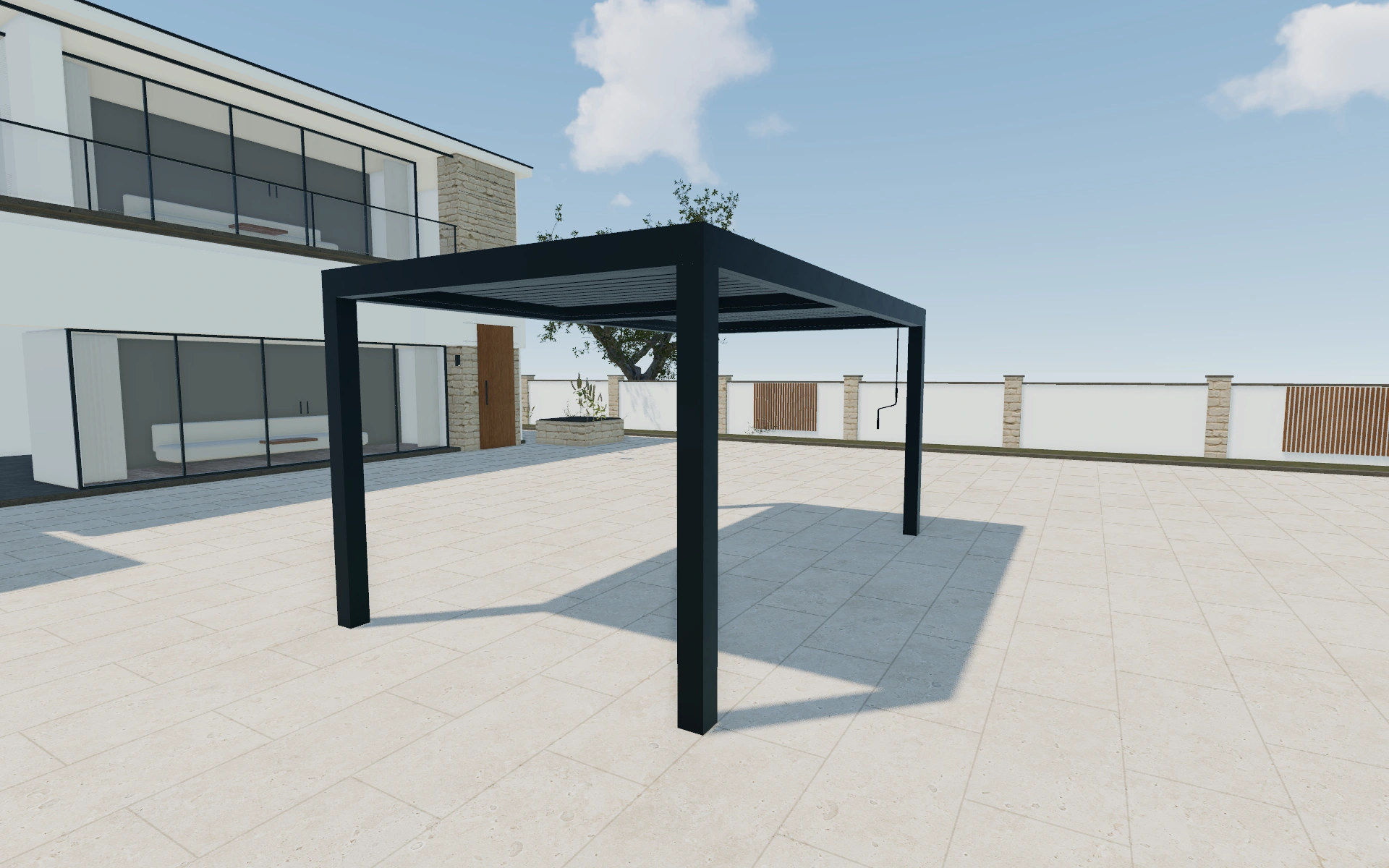
Compare the roof choice before decorating the frame
Review the canopy from the direction a vehicle will approach it. Compare the selected roof type and footprint with the open sides and visible posts. A three-quarter view helps explain coverage; a front view is better for discussing how the structure relates to the driveway.
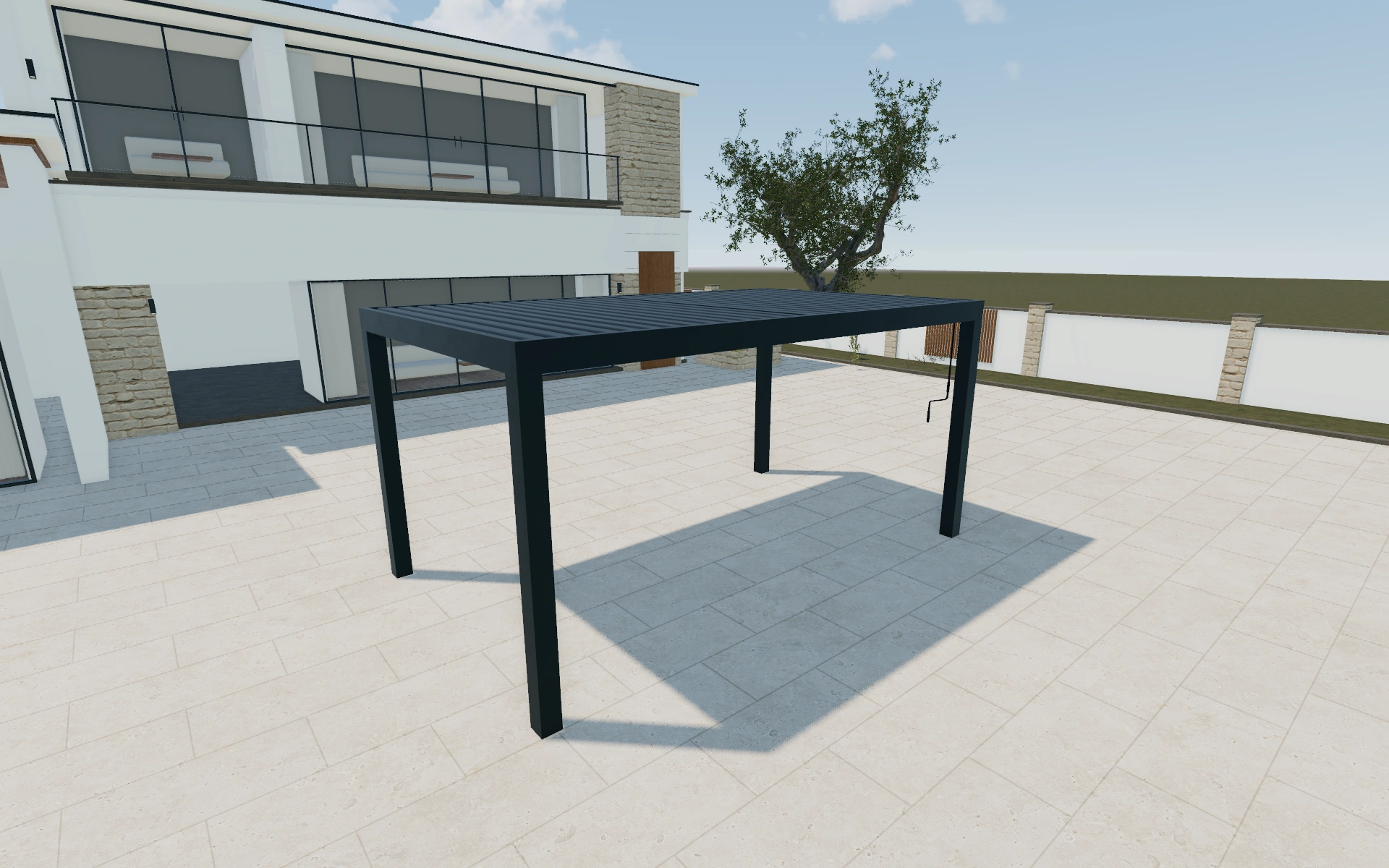
Mount along the longer side or the shorter side?
The mounting-side choice changes the shelter’s relationship to the approach, not just its orientation on screen. Pole inset direction and individual inset sides are separate controls. Compare the arrangement with a front and side view so a more attractive angle does not conceal an awkward access route.
Prioritise the driving route through the supports
Mounting along the longer or shorter side changes how the canopy relates to the building and the parking approach. Compare that relationship before choosing the frame colour. Review individual support offsets where available, and retain the actual vehicle information rather than judging clearance from an attractive reference scene.
A useful specification identifies the cover, mounting arrangement and support positions together. Keep drainage, foundations and any building connection as explicit scope items. The customer should understand which changes affect the parking arrangement and which merely change its exterior appearance.
Carport canopy options to compare
Review the selected model before refining individual details. Available choices can change with the model and earlier selections; the groups below describe the current starting configuration.
Structure
- Mounted side
- Longer side
- Shorter side
- Poles
- 150x150
- Pole Inset Direction
- Width
- Depth
- Pole Inset Sides
- Left Front
- Right Front
- Left Back
- Right Back
Dimensions
- Dimensions type
- Standard
- Custom
- Dimensions
- 5m x 3m
- 6m x 3m
- 4m x 4m
- 5m x 4m
- 6m x 4m
- 7m x 4m
- 5m x 5m
- 6m x 5m
- Dimensions unit
- Metric
- Imperial
Finishes
- Structure color type
- Anthracite
- Black
- White
- Custom
- Slats color type
- Anthracite
- Black
- White
- Custom
- Color type
- Standard
- Custom RAL
- yellow
- orange
- red
- purple
- blue
- green
- neutral
- Structure Material
- Aluminium
- Wood grain finish
- Glass
- Slats Material
- Aluminium
- Wood grain finish
- Glass
- Ground material
- Wood
Roof
- Roof type
- Louvered roof
- Fabric roof
- Solid roof
- Glass roof
- Polycarbonate roof
- Insulated panel
- Slats isolation
- Standard
- Isolated
- Slats retraction
- Retractable
- Unretractable
- Slats direction
- Width
- Depth
Openings
- Sides closing position
- Front
- Back
- Left
- Right
- Sides closing - front
- Roller screen
- Fixed Metal sheet lamellas
- Metal sheet lamellas
- Wood lamellas
- Sliding Glass
- Tinted sliding glass
- Guillotine glass
- Frameless sliding glass
- Fixed glass wall
- Solid aluminum wall
- Slats wall
- Vertical Metal sheet lamellas
- Sides closing - Roller screen
- Roller screen
- Sides closing position - Roller screen
- Front
- Back
- Left
- Right
- Sides closing - Metal sheet lamelas
- Fixed Metal sheet lamellas
- Sides closing position - Metal sheet lamelas
- Front
- Back
- Left
- Right
- Sides closing - Wood lamellas
- Wood lamellas
- Sides closing position - Wood lamellas
- Front
- Back
- Left
- Right
- Sides closing - Tinted Glass
- Tinted sliding glass
- Sides closing position - Tinted Glass
- Front
- Back
- Left
- Right
- Sides closing - Glass
- Sliding Glass
- Sides closing position - Glass
- Front
- Back
- Left
- Right
Lighting & power
- Lights
- No lights
- Lights
- Gutter lights position
- Front
- Back
- Left
- Right
- Middle
- Gutter lights color
- Warm
- Neutral
- Cool
- RGB
- Spot lights
- Spot lights
Accessories
- Type
- Freestanding
- Wall-mounted
- Integrated
- Corner mounted
- Wall nested
Advanced
- Services
- No services
- Services
- Automation
- No automation
- Automation
- Add ons
- No add-ons
- add-ons
Dimension ranges describe the current model controls. Confirm the selected product, final measurements and supplied specification with the manufacturer.
Worked example: a customer brief for carport canopy
For a narrow driveway discussion, prepare two orientations at the same size. Review where the supports appear relative to the vehicle approach, then record the preferred roof and frame choices. The proposal can use the chosen configuration while the survey confirms the actual boundaries and fixing positions.
From carport canopy choices to a clear proposal
Use the saved configuration to identify the chosen canopy arrangement, then separate the product from installation and site preparation in the proposal. Keep any unconfirmed driveway or fixing measurements visible in the project rather than hiding them behind a neat total.
Questions for your carport canopy review
- Roof type
- Approach direction
- Visible post positions
- Site preparation items
Useful views for the carport canopy review
Use these inspection views to discuss the arrangement and visible details before approving the specification.
- Main
- Louvre Tilt - NoRetract Roof
- Louvre Tilt - Retract Roof, No Tilt
- Louvre Tilt - Retract Roof
Carport canopy configurator FAQs
Can individual support offsets be reviewed?
The model exposes pole-inset direction and side selections. Use them to communicate the arrangement, with the final structural and installation details confirmed separately.
Why are support positions part of the parking brief?
A canopy can cover the intended area while leaving a post in an inconvenient place. Compare the approach, door-opening space and the selected support arrangement together. Keep driveway measurements separate from a reference vehicle shown for scale.
Put the choices
in the same view.
Explore the carport canopy configurator, review the available product options and discuss your own range with our team.