
Industrial ribbon blender configurator: review the trough, access and discharge as one assembly
A ribbon-blender quotation is clearer when the mixing element is not discussed in isolation. The configurator can help the customer compare the trough, cover, drive and discharge arrangement around the intended handling process.
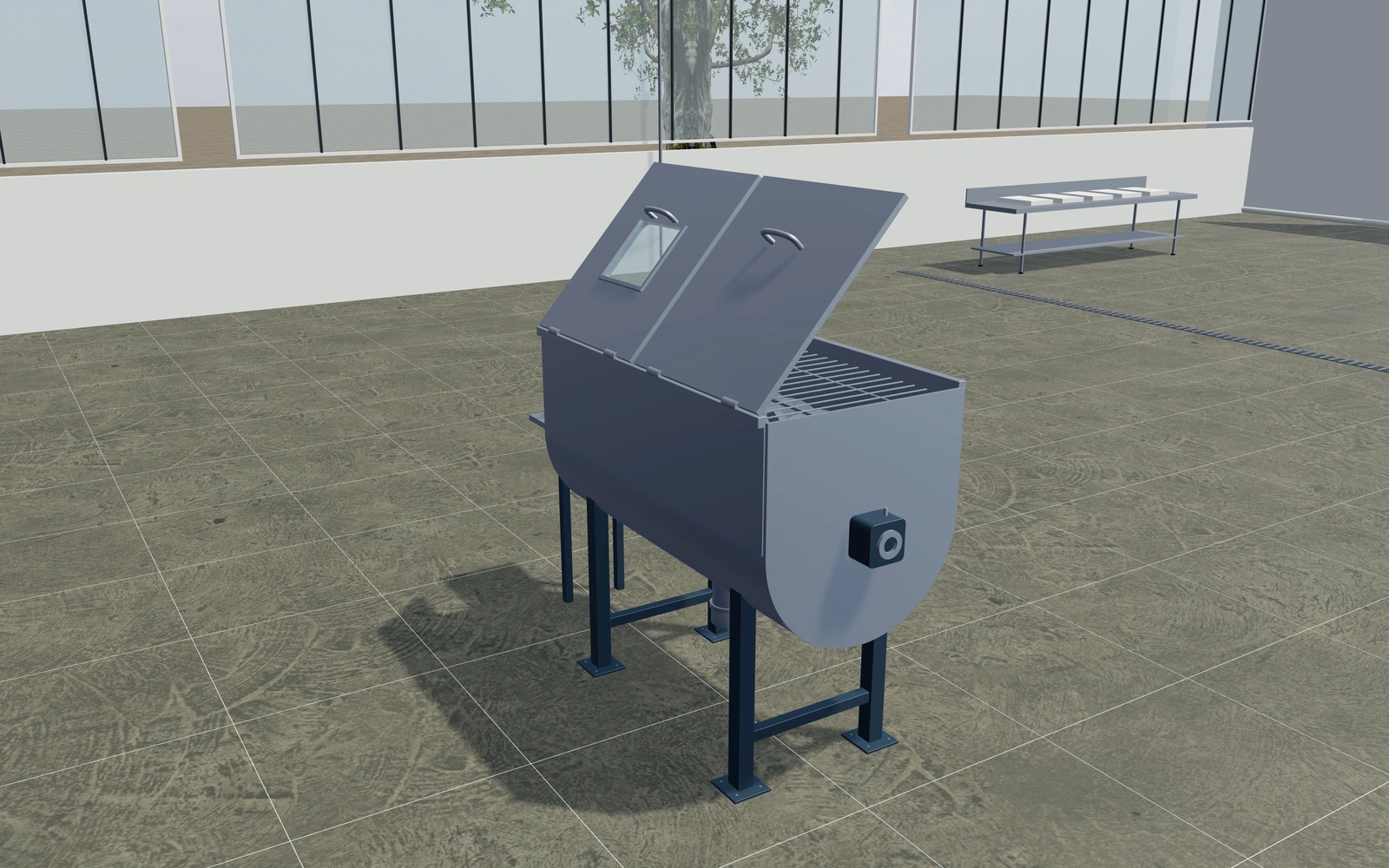
Review the trough, access and discharge as one assembly
Compare the selected ribbon or paddle appearance inside the open trough. Review cover access and the drive-end position, then inspect the underside discharge fitting. Record how material is charged and collected so those practical interfaces remain attached to the visual specification.

Helical ribbons or a pitched-paddle appearance?
Compare the mixing-element appearances inside the same trough, then inspect charging access and discharge position. The visible element is a configuration reference; it does not determine whether a particular formulation will mix successfully. Keep cover, drive end and material-handling requirements in the same brief.
Separate visible mixing parts from process validation
Helical ribbons and pitched-paddle appearances are different internal references. Compare them through an inspection view while retaining the same vessel and material-handling brief. The customer should see which assembly is being discussed without mistaking the animation for a test of their formulation.
Record the selected inlet, discharge and service equipment alongside the actual product requirements. Keep supplied capacity and process suitability with the equipment specialist. A named component list makes alternatives easier to compare than a generic stainless-machine image accompanied by an unsupported performance assumption.
Industrial ribbon blender options to compare
Review the selected model before refining individual details. Available choices can change with the model and earlier selections; the groups below describe the current starting configuration.
Dimensions
- Trough clear width
- 700–1400 mm in the current model
- Trough clear length
- 1000–3000 mm in the current model
- Trough clear depth
- 855–1600 mm in the current model
- Trough bottom height
- 550–1000 mm in the current model
Agitator
- Agitator appearance
- Inner and outer helical ribbons
- Individual pitched paddles
Layout
- Drive end
- Rear end
- Front end
Materials
- Stainless finish
- Brushed stainless appearance
- Polished stainless appearance
- Frame and control accent
- Deep blue
- Sage green
- Warm ochre
- Warm white
- Anthracite
Hardware
- Cover arrangement
- Single hinged lid
- Two separately framed lids
Accessories
- External jacket appearance
- Include or omit
Discharge
- Discharge fitting
- Butterfly-valve reference
- Sliding-gate reference
- Discharge actuator
- Hand-operated reference
- Cylinder-operated reference
Drive
- Drive coupling guard
- Include or omit
- Bearing grease fittings
- Include or omit
Base
- Support load-cell references
- Include or omit
Controls
- Control interface appearance
- Display and tactile keys
- Push-button reference panel
Dimension ranges describe the current model controls. Confirm the selected product, final measurements and supplied specification with the manufacturer.
Worked example: a customer brief for industrial ribbon blender
For a process-equipment enquiry, save the preferred element and cover arrangement and record charging and collection methods. List the assembly and accessories in the proposal, with material compatibility and actual performance requirements confirmed by the supplier.
From industrial ribbon blender choices to a clear proposal
Identify the selected assembly and accessories in the proposal. Actual material compatibility, mixing performance, operating capacity and safety requirements need supplier confirmation. The preview explains the hardware arrangement without claiming that a particular formulation or process has been tested.
Questions for your industrial ribbon blender review
- Charging method
- Mixing-element arrangement
- Discharge position
- Supplier material review
Useful views for the industrial ribbon blender review
Use these inspection views to discuss the arrangement and visible details before approving the specification.
- Counter-wound ribbons, spokes and open trough
- Drive, coupling and bearing housings
- Discharge valve, clamp and actuator references
Industrial ribbon blender configurator FAQs
Does the preview validate a mixing formulation?
No. It explains equipment arrangement. Actual formulation, loading, mixing performance and operating requirements need process and supplier assessment.
What should an enquiry say about the material being mixed?
Record the actual material, batch requirement and handling route for supplier review. Compare the visible mixing assembly and service access without treating animation as a process test. Keep the supplied mixer specification and any process validation identifiable in the proposal.
Put the choices
in the same view.
Explore the industrial ribbon blender configurator, review the available product options and discuss your own range with our team.