
Welding screen booth configurator: design the work position before adding adjacent stations
A welding-booth configuration should make the relationship between the operator, work surface and surrounding screens understandable. Adding bays is only useful once the basic station arrangement has been discussed.
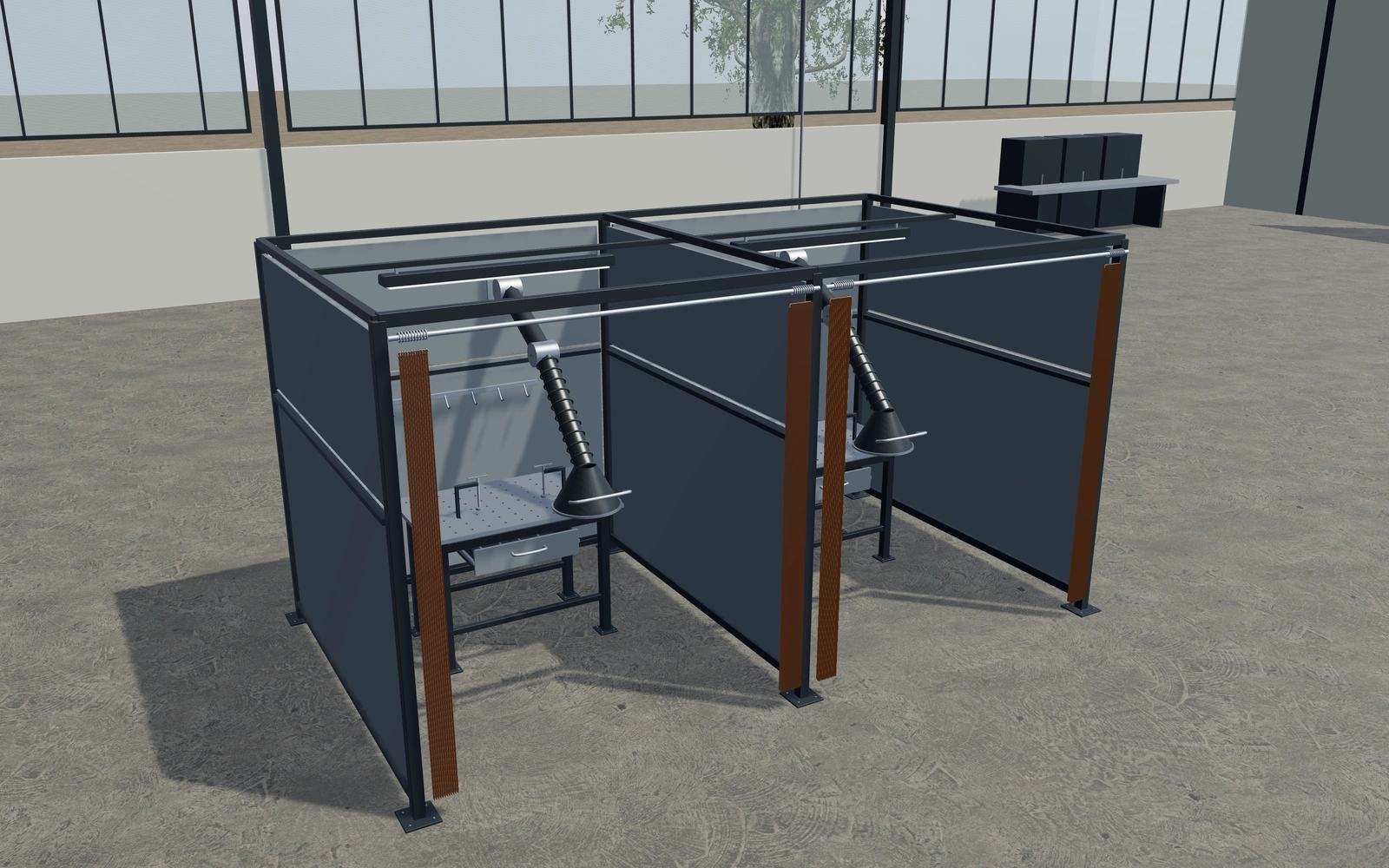
Design the work position before adding adjacent stations
Compare the selected panel and curtain arrangement around the worktable. Inspect tool storage and the movement of the curtain, then consider how adjacent stations share access. Keep extraction-equipment references visible without assuming that their appearance establishes a complete workplace-control system.
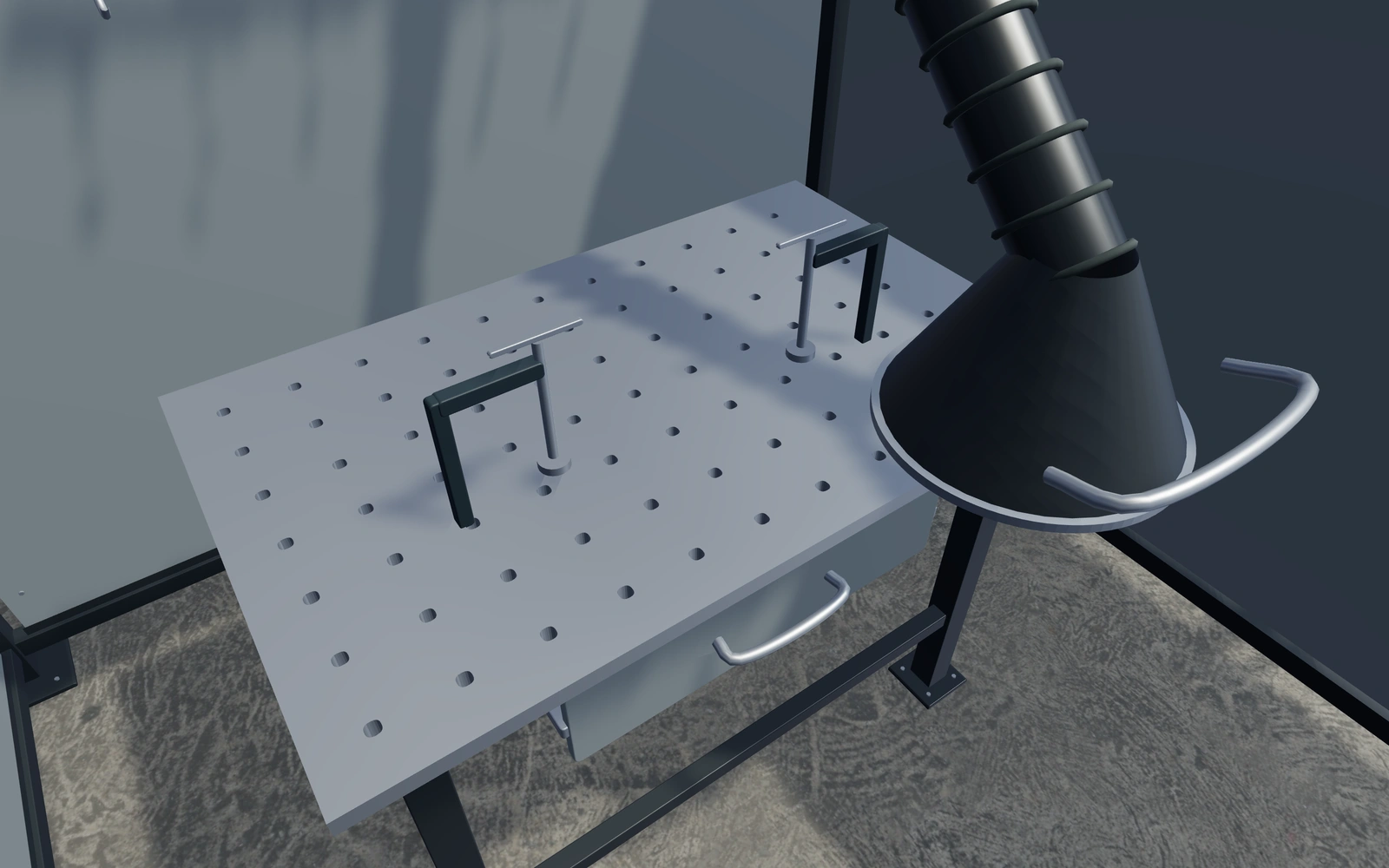
A solid panel arrangement or a curtain opening?
Compare the work position and access before selecting the enclosure appearance. Curtain movement, tool storage and adjacent-station routes need separate attention. Any extraction-arm reference should remain identifiable as an equipment-layout choice rather than proof of effective workplace exposure control.
Compare openings with the work-cell brief
Solid panel arrangements and curtain openings should be reviewed against the actual work area and operator route. Keep the selected dimensions and access visible while comparing materials. A screen that looks continuous in a closed elevation may not explain the required movement around the cell.
Record the actual protective material and supplied-system requirements with the responsible supplier. Identify frame, screens and fittings separately from ventilation or other site equipment. The visual layout is a useful enclosure brief, while the work process determines the protection and installation requirements.
Welding screen booths options to compare
Review the selected model before refining individual details. Available choices can change with the model and earlier selections; the groups below describe the current starting configuration.
Dimensions
- Clear width per station
- 1800–3000 mm in the current model
- Station depth
- 2000–3200 mm in the current model
- Frame height
- 2200–2800 mm in the current model
Materials
- Frame finish
- Brushed metal
- Anthracite
- Deep blue
- Warm white
- Wall panel colour
- Workshop grey
- Muted blue
- Warm light grey
- Curtain appearance
- Amber tint
- Red tint
- Green tint
Walls
- Wall panel appearance
- Solid metal panels
- Perforated upper acoustic appearance
- Upper viewing-panel appearance
- Upper panel canopy
- Include or omit
Access
- Entry curtains
- Split pair of pleated curtains
- Single sliding curtain
- Open entry
Workstation
- Perforated worktable
- Include or omit
- Worktable width
- 900–1600 mm in the current model
- Worktable height
- 750–1000 mm in the current model
- Under-table tool drawer
- Include or omit
Extraction
- Extraction arm swing
- -35–35 ° in the current model
- Extraction elbow bend
- 25–70 ° in the current model
Accessories
- Rear accessory rail and hooks
- Include or omit
Lighting
- Work light diffuser
- Include or omit
Dimension ranges describe the current model controls. Confirm the selected product, final measurements and supplied specification with the manufacturer.
Worked example: a customer brief for welding screen booths
For a fabrication workshop, save the preferred station and record the workpiece and access brief. List booth panels, curtains and fittings on the proposal, with process protection and installation requirements confirmed through the workplace and supplier review.
From welding screen booths choices to a clear proposal
Record the selected stations and fittings on the proposal. Welding-screen performance, extraction needs, operating procedures and installation requirements need the actual supplier and workplace review. The visual planner helps the customer describe the workstation; it does not replace a risk assessment or process design.
Questions for your welding screen booths review
- Work position
- Curtain and panel arrangement
- Adjacent access
- Workplace requirements
Useful views for the welding screen booths review
Use these inspection views to discuss the arrangement and visible details before approving the specification.
- Perforated worktop, clamps and supporting frame
- Extraction hood, articulated joint and duct fittings
- Entry curtain, hanging rings and track
Welding screen booths configurator FAQs
Does the model assess welding protection?
No. Actual screen performance, extraction and operating requirements need the supplied products and the responsible workplace assessment.
What should be agreed beyond the screen layout?
Record the actual work process, access and the supplier’s protective material specification. Compare doors or curtains against the intended route. Keep ventilation and other project requirements separate; the visual screen arrangement cannot establish protection for every welding application.
Put the choices
in the same view.
Explore the welding screen booths configurator, review the available product options and discuss your own range with our team.