
Louvered-roof pergola configurator: show what opening the roof changes
Customers comparing a louvered pergola need to understand the roof in use, not just admire a closed-roof picture. A useful configurator makes the relationship between the frame, louvers and occupied space easy to explain.
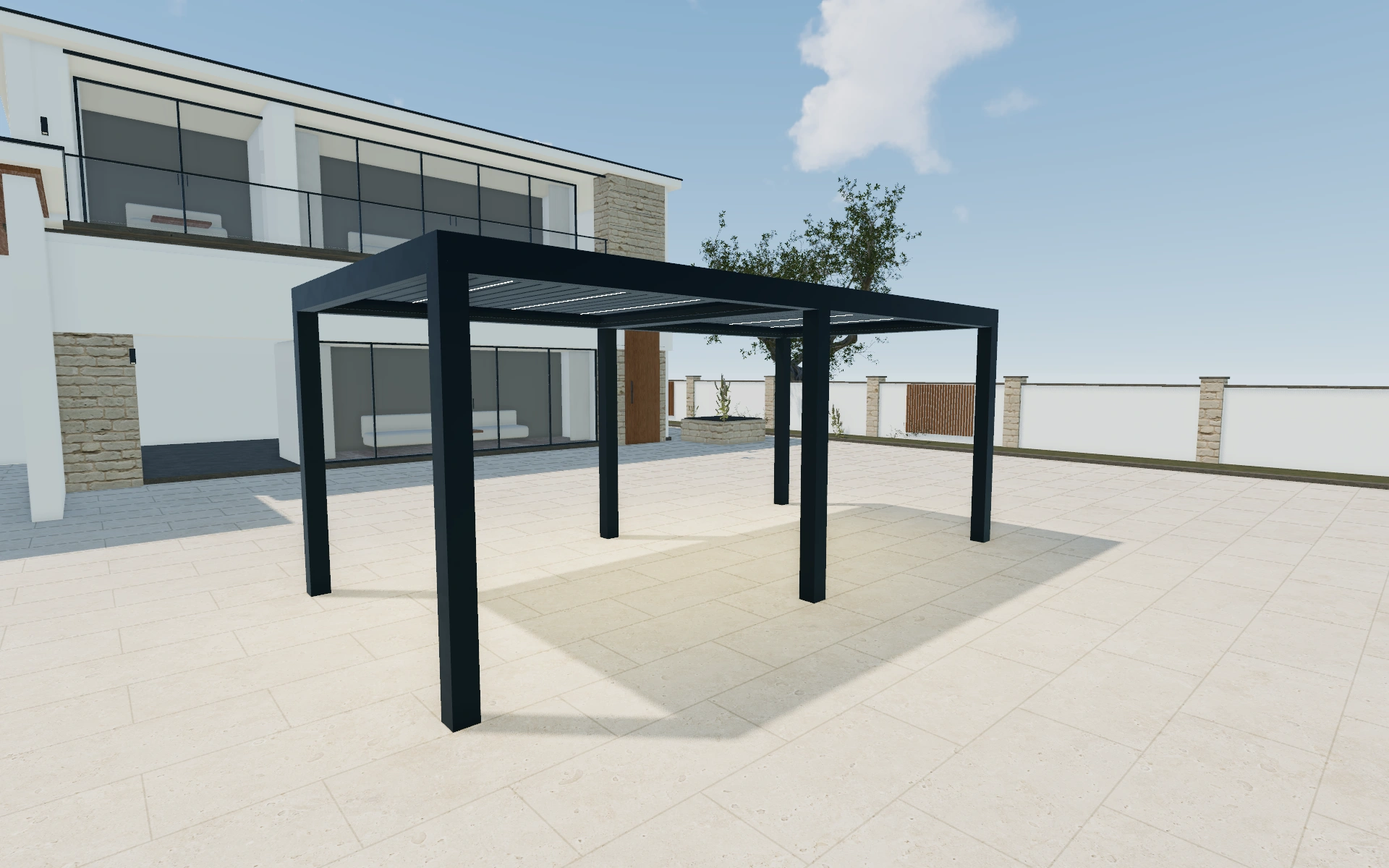
Show what opening the roof changes
Compare a consistent camera view with the roof open and closed. The customer can then judge the visual difference without mistaking a changed viewpoint for a different product. Review the post arrangement against the table, circulation space and nearby doors before spending time on finishes.
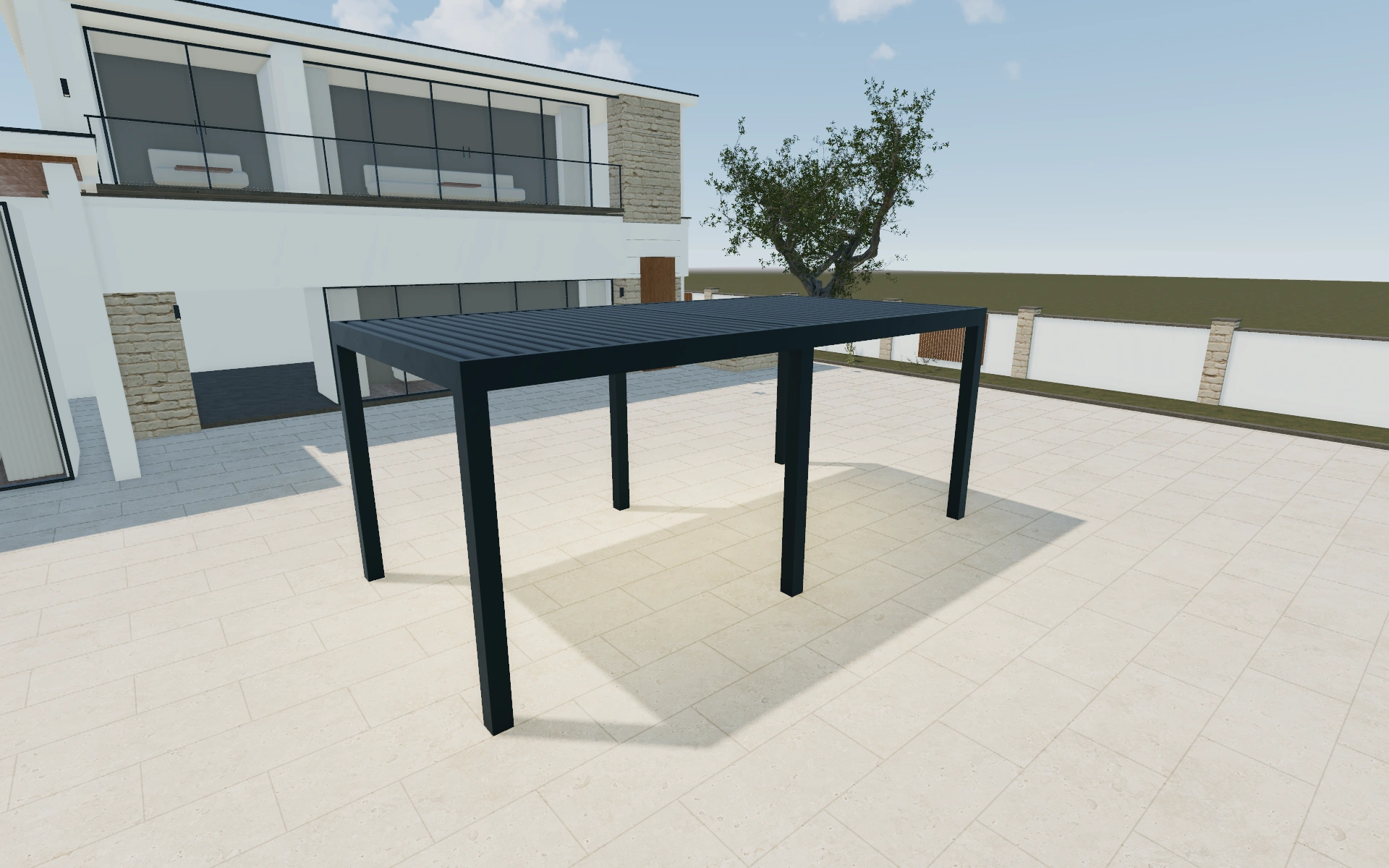
Freestanding or wall-mounted?
A freestanding frame lets the customer discuss a defined seating area independently of the facade. A wall-mounted alternative makes the roof-to-house relationship part of the scope. Compare the same useful terrace area and route around the supports; include any building work or fixing review in the corresponding proposal, rather than treating wall mounting as a styling preference.
Separate the frame brief from the roof demonstration
Lite, Standard and Max are model choices in the starting interface; freestanding, wall-mounted and integrated describe the mounting arrangement. Compare the mounting before refining finish preferences. The selected model name should stay attached to the saved dimensions so a revision is not mistaken for a colour-only change.
Use roof movement to explain the louvers without changing the agreed footprint. Review the mounting side and post inset against the approach beneath the frame. When side enclosures or accessories are discussed, identify their positions so they do not become an unspecified upgrade to the whole pergola.
Louvered-roof pergola options to compare
Review the selected model before refining individual details. Available choices can change with the model and earlier selections; the groups below describe the current starting configuration.
Model
- Model
- Lite
- Standard
- Max
Structure
- Type
- Freestanding
- Wall-mounted
- Integrated
- Corner mounted
- Wall nested
- Mounted side
- Longer side
- Shorter side
- Poles
- 150x150
- Pole Inset Direction
- Width
- Depth
- Pole Inset Sides
- Left Front
- Right Front
- Left Back
- Right Back
Dimensions
- Dimensions type
- Standard
- Custom
- Dimensions
- 5m x 3m
- 6m x 3m
- 4m x 4m
- 5m x 4m
- 6m x 4m
- 7m x 4m
- 5m x 5m
- 6m x 5m
- Dimensions unit
- Metric
- Imperial
Finishes
- Structure color type
- Anthracite
- Black
- White
- Custom
- Slats color type
- Anthracite
- Black
- White
- Custom
- Color type
- Standard
- Custom RAL
- yellow
- orange
- red
- purple
- blue
- green
- neutral
- Structure Material
- Aluminium
- Wood grain finish
- Glass
- Slats Material
- Aluminium
- Wood grain finish
- Glass
- Ground material
- Wood
Roof
- Slats isolation
- Standard
- Isolated
- Slats retraction
- Retractable
- Unretractable
- Slats direction
- Width
- Depth
Openings
- Sides closing position
- Front
- Back
- Left
- Right
- Sides closing - front
- Roller screen
- Fixed Metal sheet lamellas
- Metal sheet lamellas
- Wood lamellas
- Sliding Glass
- Tinted sliding glass
- Guillotine glass
- Frameless sliding glass
- Fixed glass wall
- Solid aluminum wall
- Slats wall
- Vertical Metal sheet lamellas
- Sides closing - Roller screen
- Roller screen
- Sides closing position - Roller screen
- Front
- Back
- Left
- Right
- Sides closing - Metal sheet lamelas
- Fixed Metal sheet lamellas
- Sides closing position - Metal sheet lamelas
- Front
- Back
- Left
- Right
- Sides closing - Wood lamellas
- Wood lamellas
- Sides closing position - Wood lamellas
- Front
- Back
- Left
- Right
- Sides closing - Tinted Glass
- Tinted sliding glass
- Sides closing position - Tinted Glass
- Front
- Back
- Left
- Right
- Sides closing - Glass
- Sliding Glass
- Sides closing position - Glass
- Front
- Back
- Left
- Right
Lighting & power
- Lights
- No lights
- Lights
- Lights color
- Warm
- Neutral
- Cool
- RGB
- Gutter lights position
- Front
- Back
- Left
- Right
- Middle
- Gutter lights color
- Warm
- Neutral
- Cool
- RGB
- Spot lights
- Spot lights
Accessories
- Add ons
- No add-ons
- add-ons
Advanced
- Services
- No services
- Services
- Automation
- No automation
- Automation
Dimension ranges describe the current model controls. Confirm the selected product, final measurements and supplied specification with the manufacturer.
Worked example: a customer brief for louvered-roof pergola
A dealer can save a freestanding dining pergola and a house-connected alternative for the same customer. Compare the open and closed roof from a fixed angle, then inspect the entry route beside the posts. Quote the preferred frame and roof, leaving the building connection and installation package as identifiable items.
From louvered-roof pergola choices to a clear proposal
An open-louver view is a visual product demonstration, not a measurement of daylight, wind resistance or weather performance. Keep the selected footprint and frame appearance with the customer project, and use the proposal to identify the supplied roof system and any separately priced accessories.
Questions for your louvered-roof pergola review
- Open and closed roof views
- Post locations
- Frame finish
- Specified roof system
Useful views for the louvered-roof pergola review
Use these inspection views to discuss the arrangement and visible details before approving the specification.
- Main
- Louvre Tilt - NoRetract Roof
- Louvre Tilt - Retract Roof, No Tilt
- Louvre Tilt - Retract Roof
Louvered-roof pergola configurator FAQs
Does a model name establish its load rating?
No. Lite, Standard and Max identify configurator selections. The supplied system’s documented specification determines the actual structural and weather-performance information.
Which pergola image is most useful for an approval?
Save the agreed footprint with both open and closed roof views. Keep the viewpoint consistent and include the posts around the seating route. The customer should be approving the arrangement and roof choice, rather than only a frame colour in a flattering image.
Put the choices
in the same view.
Explore the louvered-roof pergola configurator, review the available product options and discuss your own range with our team.